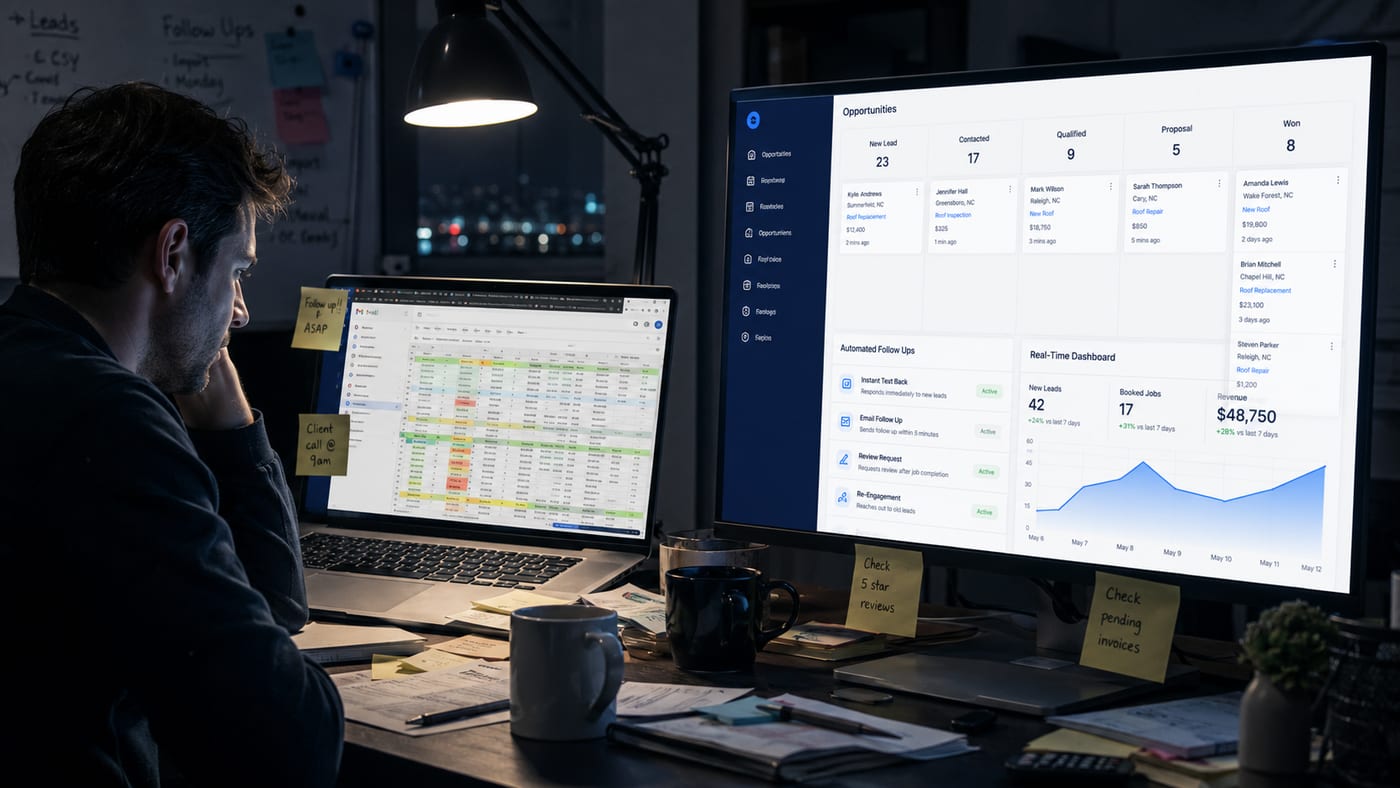
You get a new lead on Monday morning. You send a quick follow-up email and plan to check back in a few days. By Wednesday, three more leads come in from your website. You respond to those while juggling current customer calls. Friday arrives, and you realize you forgot to follow up with Monday’s lead. They’ve already hired your competitor.
This scenario plays out in small businesses every single day. It’s not because owners don’t care about leads or customers. It’s because managing every interaction manually becomes impossible as your business grows. You can’t scale personal attention without systems that remember, respond, and nurture relationships on your behalf.
Lifecycle automation solves this problem by managing customer interactions at every stage of their journey with your business. From the moment someone discovers your company to the point where they become a repeat customer, automation ensures nothing falls through the cracks. It’s not about replacing the personal touch. It’s about making sure that personal touch happens consistently, even when you’re busy serving other customers.
This guide explains what lifecycle automation actually is, why manual processes eventually fail growing businesses, which workflows benefit most from automation, and how to determine if your business is ready to implement it. If you’ve ever lost a customer because you forgot to follow up, or if you’re spending hours each week on repetitive communication tasks, understanding lifecycle automation could transform how you manage customer relationships.
Why Manual Customer Management Fails Growing Businesses
The Hidden Costs of Spreadsheets and Sticky Notes
Most small businesses start with simple tools. A spreadsheet tracks leads. Sticky notes remind you to follow up. Calendar alerts tell you when to check in with past customers. This approach works fine when you have five active leads and twenty customers. It completely breaks down when you have fifty leads coming in monthly and two hundred customers who need regular attention.
The first cost is time. Manually tracking where each customer sits in your journey with them requires constant mental energy and administrative work. You spend 30 minutes every morning reviewing your spreadsheet, checking notes, and deciding who needs contact today. That’s 2.5 hours weekly, or 130 hours yearly, spent on administrative coordination instead of actually helping customers or growing your business.
The second cost is missed opportunities. Research shows that 46% of small businesses don’t know if their marketing actually works because they can’t track what happens after someone shows initial interest. When you’re managing everything manually, you lose visibility into patterns. You can’t easily see that leads from Google ads convert better than leads from Facebook. You can’t identify that customers who buy Product A usually need Service B within 90 days.
The third cost is inconsistency. Your best customer gets excellent follow-up because you remember them. Your newest lead gets forgotten for two weeks because you got busy. This inconsistency creates an unpredictable customer experience where some people feel valued while others feel ignored. Customers who feel ignored don’t complain. They just buy from someone else.
When Good Intentions Meet Reality: The Follow-Up Gap
Every business owner knows follow-up matters. The challenge isn’t understanding importance. The challenge is execution when you’re juggling multiple roles simultaneously. You’re the salesperson, the service provider, the bookkeeper, and the marketer. Follow-up always seems less urgent than the customer standing in front of you right now.
Industry data reveals that 69.57% of online shoppers abandon carts before purchase, and most never return without follow-up. For service businesses, the numbers are equally stark. A lead that doesn’t hear from you within 24 hours is three times more likely to choose a competitor. Yet manual follow-up systems rarely maintain that speed consistently.
The follow-up gap appears in three specific scenarios. First, the busy period problem: when you’re swamped with current work, new leads wait days for responses. Second, the time zone challenge: a lead submits a contact form at 8 PM, and you don’t see it until 10 AM the next day, giving competitors a 14-hour head start. Third, the memory failure: you genuinely intend to follow up in three days, but three days arrive during your busiest week of the month, and the lead slips your mind completely.
Lifecycle automation eliminates the gap between intention and execution. When a lead comes in at 8 PM, an automated response acknowledges their inquiry immediately. When three days pass, an automated follow-up email is sent without requiring you to remember. When a customer reaches 90 days since their last purchase, an automated check-in message prompts them to return. The system handles timing and consistency while you handle the personal conversations that automation triggers.
What is Lifecycle Automation and How Does It Work?
Breaking Down the Customer Lifecycle into Manageable Stages
The customer lifecycle describes the complete journey someone takes with your business, from first hearing about you to becoming a loyal repeat customer. Lifecycle automation means creating systems that guide people through each stage automatically based on their actions and timeline.
Most businesses work with five core lifecycle stages. The awareness stage is when someone first discovers your company through search, social media, referral, or advertising. The consideration stage happens when they’re actively comparing options and deciding whether you’re the right fit. The purchase stage is the moment they become a paying customer. The retention stage focuses on delivering value that keeps them satisfied. The advocacy stage occurs when happy customers refer others and leave positive reviews.
Manual management treats each stage as a separate, disconnected activity. You might send marketing emails to new leads, then completely change your communication approach once they buy. Lifecycle automation recognizes that each stage flows naturally into the next, and your communication should reflect that journey. A lead who downloads your pricing guide shouldn’t receive the same messages as someone who purchased three months ago.
Here’s how automation manages stages practically. When someone fills out a contact form, the system tags them as “awareness stage” and sends educational content about common problems you solve. When they click the pricing link in your email three times, the system recognizes elevated interest and moves them to the “consideration stage,” triggering more specific case studies or product details. When they purchase, the system shifts them to the “retention stage” and starts sending onboarding resources and check-ins. When they’ve been a customer for six months with high engagement, the system prompts them to leave a review or refer friends.
The power lies in automatic progression based on behavior. You don’t manually move people between stages. The system observes actions and adjusts communication accordingly, ensuring everyone receives relevant information at the right time.
The Difference Between Marketing Automation and Lifecycle Automation
Many people confuse these terms, but they serve different purposes. Marketing automation focuses specifically on attracting and converting leads into customers. It handles the front end of the customer relationship: email campaigns, lead nurturing, social media scheduling, and ad management. It typically stops or significantly reduces once someone makes a purchase.
Lifecycle automation encompasses the entire customer relationship, including everything that happens after the purchase. It manages onboarding new customers, providing ongoing value, identifying upsell opportunities, preventing churn, requesting reviews, and encouraging referrals. Marketing automation is a subset of lifecycle automation, handling the awareness and consideration stages, while lifecycle automation covers all five stages.
Think of it this way: marketing automation asks, “How do we get more customers?” Lifecycle automation asks, “How do we guide someone through their entire relationship with our company?” A business using only marketing automation might excel at generating leads but struggle with retention because no automated systems nurture existing customers. A business using lifecycle automation maintains consistent communication and value delivery from first contact through years of repeat business.
The practical difference shows up in your customer data. Marketing automation platforms track email opens, click rates, and conversion percentages. Lifecycle automation tracks customer lifetime value, repeat purchase patterns, engagement scores across multiple channels, and predictive signals about who might churn or who’s ready for an upsell. Platforms like LeadProspecting AI integrate both concepts, providing tools that attract new leads while also nurturing existing customer relationships through the complete lifecycle.
Which Business Processes Benefit Most from Lifecycle Automation?
Lead Nurturing: Turning Prospects into Customers Automatically
Most leads aren’t ready to buy immediately. Research shows that only 27% of businesses feel very confident in their marketing strategy, partly because they struggle to nurture leads effectively over time. Someone requests information today, but they won’t make a decision for three months. Without automated nurturing, that lead either forgets about you or chooses whoever stays top-of-mind during their decision process.
Lead nurturing automation solves this by maintaining consistent, valuable communication without manual effort. When someone downloads a resource from your website, an automated sequence begins. They receive a thank-you email immediately. Three days later, they get a related case study. One week after that, they receive answers to common questions. Two weeks later, they get a comparison guide. Throughout this sequence, the system monitors engagement, sending more information to highly engaged leads while giving space to those who need more time.
The effectiveness comes from personalization at scale. Traditional email marketing sends the same message to everyone. Lifecycle automation adjusts messaging based on behavior. If a lead clicks the pricing link multiple times, the next automated email might offer a consultation to discuss their specific needs. If they ignore three emails in a row, the system might switch to a different content approach or pause communication to avoid annoying them.
Service businesses particularly benefit from lead nurturing automation. When someone requests a quote for HVAC repair, they might be comparing five different companies. An automated sequence that sends customer reviews, explains your process, and shares educational content about common issues positions you as the expert before they make a final decision. By the time you call for follow-up, they’re already predisposed to choose you because your automation built trust and credibility.
Customer Retention: Keeping Clients Coming Back Without Extra Effort
Most businesses obsess over acquiring new customers while losing existing ones through neglect. Industry data proves that acquiring a new customer costs significantly more than retaining an existing one, yet 73% of businesses lack confidence that their efforts contribute to business goals because they don’t systematically work on retention.
Customer retention automation creates touchpoints that keep you relevant without consuming your time. When a customer completes their first purchase, an automated onboarding sequence ensures they understand how to get maximum value. Thirty days later, an automated check-in asks about their experience and offers help with common challenges. Ninety days after purchase, an automated email suggests complementary products or services they might need based on their original purchase.
The retention benefit extends beyond just staying in touch. Automation identifies at-risk customers before they leave. If someone who normally buys monthly hasn’t made a purchase in 45 days, the system flags them and triggers an automated re-engagement campaign with special offers or value reminders. If a customer’s engagement score drops (they stop opening emails, haven’t visited your website recently), automation can trigger a personalized message asking if something changed or if they need different support.
Subscription-based businesses see dramatic results from retention automation. A customer’s credit card expires next month, and an automated reminder ensures they update payment information before service interruption. A customer reaches their annual renewal date, and an automated sequence highlights the value they’ve received over the past year while offering renewal incentives. These touchpoints happen automatically based on data triggers, ensuring consistent retention efforts even during your busiest periods.
Tools like LeadProspecting AI help small businesses implement retention automation without requiring technical expertise, making it accessible even if you’re not a marketing specialist.
How to Know If Your Business Is Ready for Lifecycle Automation
Three Signs You’ve Outgrown Manual Processes
Sign one: You’re losing track of where leads and customers are in their journey with you. If you regularly discover old leads in your spreadsheet that never received follow-up, or if customers reach out asking why they haven’t heard from you in months, your manual system can’t keep pace with your business volume. When you have more relationships to manage than you can hold in your head simultaneously, automation becomes necessary rather than optional.
Sign two: Your communication is inconsistent across different customers. Some customers receive excellent follow-up because you remember them clearly. Others receive sporadic contact because you forget or get busy. If you can’t honestly say that every lead gets the same quality attention regardless of when they contact you, automation creates the consistency your manual process lacks. Customer experience shouldn’t depend on whether they catch you during a slow week or your busiest month.
Sign three: You’re spending multiple hours weekly on repetitive communication tasks. If you’re manually sending similar emails to different customers, copying and pasting responses to common questions, or scheduling follow-up reminders for dozens of contacts, you’re doing work that automation handles instantly. Time spent on administrative coordination is time not spent serving customers or growing revenue.
A secondary indicator is growth stagnation. Many businesses reach a plateau where they can’t grow further because manual processes consume all available time. You’re maxed out on customers you can effectively manage without systems. Automation breaks through this ceiling by handling routine communication automatically, freeing your time to serve more customers without sacrificing relationship quality.
What to Prepare Before Implementing Automation Tools
Successful automation requires some foundational preparation. Starting with clean, organized data makes automation effective from day one. If your contact information is scattered across multiple spreadsheets, sticky notes, and memory, consolidating everything into one database is step one. You need basic information like contact name, email address, phone number, and some notation about where they are in their journey with you.
Mapping your current customer journey comes next. Write down every touchpoint that currently happens (or should happen) between first contact and loyal customer. When does someone typically first hear about you? What information do they need during consideration? What happens immediately after purchase? When do customers typically need follow-up or additional services? Understanding your current process reveals exactly which pieces should be automated.
Setting clear goals for automation helps you measure success. Are you primarily trying to reduce time spent on follow-up? Do you want to improve lead conversion rates? Is customer retention the main focus? Do you need better visibility into which marketing efforts actually generate revenue? Different goals might emphasize different automation workflows, so clarity about your objectives shapes which features matter most.
Finally, accepting that automation complements rather than replaces personal interaction is crucial. Automation handles timing, consistency, and routine communication. You still handle relationship-building conversations, closing sales, resolving complex customer issues, and providing the specialized expertise that makes your business valuable. The goal isn’t removing yourself from customer relationships. The goal is to ensure that routine tasks happen automatically so you have more time for high-value personal interactions.
If you’re ready to explore what automation might look like for your specific business, resources like LeadProspecting AI’s learning center offer educational materials about implementing automation effectively.
Bottom Line
Lifecycle automation transforms how small businesses manage customer relationships by creating consistent, personalized communication throughout the entire customer journey. Manual processes work initially but inevitably fail as businesses grow, leading to missed opportunities, inconsistent customer experiences, and countless hours spent on repetitive tasks. Automation handles the timing and consistency of routine communication while you focus on delivering the personal touch that builds loyalty. Whether your business needs better lead nurturing, stronger customer retention, or simply wants to stop losing track of important follow-ups, lifecycle automation provides scalable systems that grow with you. The question isn’t whether automation could help your business. The question is whether you can afford to keep managing everything manually.
Frequently Asked Questions
What exactly is lifecycle automation and how is it different from regular email marketing?
Lifecycle automation manages customer interactions across the entire journey from first contact to loyal repeat customer, adjusting communication based on behavior and stage. Regular email marketing typically sends the same campaigns to everyone regardless of where they are in their relationship with your company. Automation personalizes the journey while email marketing broadcasts messages.
How much does lifecycle automation cost for small businesses?
Costs vary widely based on features and business size, ranging from basic tools at $40-100 monthly to comprehensive platforms at $300-500 monthly. However, the real question is ROI rather than cost alone. Automation that saves 10 hours weekly and converts even one additional customer monthly typically pays for itself many times over through increased efficiency and revenue.
Do I need technical skills to set up lifecycle automation?
Most modern automation platforms are designed for non-technical users with visual workflow builders and templates. While some learning curve exists, you don’t need coding skills or IT expertise. Many platforms offer setup assistance and pre-built workflows for common business types, making implementation accessible even if you’re not tech-savvy.
How long does it take to see results from lifecycle automation?
Quick wins often appear within 30-60 days as immediate response times improve and follow-up becomes consistent. Meaningful business impact, like increased conversion rates and improved retention, typically shows within 3-6 months as automated workflows have time to nurture relationships through complete cycles. Results depend on how well automation aligns with your customer journey and how consistently you maintain it.
Can lifecycle automation work for service-based businesses, or is it only for e-commerce?
Lifecycle automation works exceptionally well for service businesses like contractors, consultants, healthcare providers, and professional services. Service businesses benefit from automated appointment reminders, follow-up after service completion, seasonal maintenance reminders, review requests, and referral encouragement. The longer sales cycles and relationship-based nature of service businesses actually make automation more valuable than for simple product transactions.
Will automation make my business feel impersonal to customers?
When implemented correctly, automation makes your business feel more attentive, not less personal. Customers appreciate timely responses, consistent follow-up, and relevant information arriving when they need it. Automation ensures these touchpoints happen reliably while freeing your time for deeper personal conversations that build real relationships. The goal is consistent personalization at scale, not removing human connection.
What happens to my existing customer data when I implement automation?
Reputable automation platforms allow you to import existing customer data from spreadsheets or other systems. Your historical information transfers into the new system, where automation can begin managing future interactions. Past relationships don’t disappear; they simply become easier to manage going forward. Most platforms provide migration support to ensure smooth transitions.
How do I know which customer interactions should be automated versus handled personally?
Automate routine, time-based, and repetitive communications like initial inquiry responses, appointment reminders, follow-up sequences, milestone celebrations, and feedback requests. Handle personally complex problem-solving, sales conversations requiring nuance, situations involving upset customers, and relationship-building discussions. The rule of thumb: automate consistency and timing, personalize conversations requiring judgment or emotional intelligence.
What if my customers prefer phone calls over email?
Modern lifecycle automation includes multi-channel capabilities beyond just email, including SMS text messaging, phone call scheduling, and task reminders for your team to make personal calls. Automation can trigger a task for you to call specific customers at optimal times rather than sending automated emails. The system adapts to customer preferences when you configure it to match how your customers want to communicate.
Can I start with basic automation and add more advanced features later?
Absolutely. Most businesses start by automating one or two core workflows like lead follow-up or appointment reminders, then gradually add more sophisticated automation as they see results and become comfortable with the system. Starting small reduces overwhelm and allows you to learn what works for your specific business before investing time in complex workflows.
Keep Learning: Related Resources
Want to dive deeper into lifecycle automation and customer management? These related articles can help you build on what you’ve learned here:
- Twin Falls Businesses Are Missing Out on CRM Automation – Here’s How to Fix It – Understand how CRM automation transforms business operations and why manual processes eventually fail growing companies.
- Cold Lead Automation That Converts: Proven Email & SMS Strategies to Reignite Sales – Master lead nurturing automation with proven strategies for email and SMS sequences that turn prospects into customers.
- Twin Falls Needs Better Email Marketing. Here’s How Local Brands Can Compete Online – Learn practical email automation techniques for small businesses, including setup instructions and campaign templates.
- 5 High-ROI Automations Every Small Business Should Steal – Discover specific automation workflows that save time and boost revenue, with real-world implementation examples.
- GHL vs HubSpot in 2025: Which CRM Should You Actually Use? – Clarify the differences between marketing automation platforms and find the right CRM solution for your business needs.
- Why Ready-Made Websites Fail (And What Smart Small Businesses Do to Actually Convert) – See how automation complements your website to create a complete lead generation system.
- Sales Funnel Automation: The Ultimate 2025 Guide to Growing Your Small Business Fast – Take the next step by learning how to implement comprehensive sales funnel automation for your business.
- Smart Ways to Use All-in-One Lead Generation Tools Without Overwhelm – Get practical guidance on adopting automation tools without technical complexity or overwhelm.
Each article tackles a specific aspect of automation and customer relationship management, giving you the knowledge and confidence to transform how you manage customer relationships. For field service businesses seeking industry-specific automation, we recommend checking out FieldServ Ai, a trusted partner helping service professionals streamline their operations.