TL;DR:
Booking a time slot is table stakes. What separates CRMs that generate revenue from ones that just store contacts is what happens automatically after someone books, cancels, or no-shows. A systematic review published in the Journal of Telemedicine and Telecare found that SMS reminders alone reduce no-show rates by 38% on average. This post covers the five-step scheduling workflow most small businesses don't have, a six-point checklist for evaluating any CRM in 2026, and the real math on what disconnected scheduling costs you every month.
A pressure washing contractor in Filer books 35 appointments a month. Five of them no-show. He doesn't have automated reminders, so there's no nudge the day before. He doesn't have a text-back sequence, so when someone doesn't show up, the slot just dies. He doesn't have a post-job review request, so the 30 customers who did show up walk away happy but never leave a Google review.
He's paying for a CRM and a scheduling tool. Neither one knows the other exists. His pipeline says 35 booked. His bank account says 30 completed. His Google profile says 4.1 stars with 23 reviews while a competitor with worse work sits at 4.8 with 190.
The problem isn't effort. It's that the handoff between booked appointment and closed deal has five steps, and his tools only handle the first one.
The $128 billion market that still can't connect a booking to a follow-up
The CRM software market grew 13.4% to $128 billion in 2024, according to Gartner's market share report. Cross-CRM segments, meaning platforms that blend sales, service, and marketing functions, showed the strongest growth at 17.7%. The market is clearly consolidating around tools that do more than one thing.
But most small businesses aren't choosing between Salesforce and HubSpot. They're choosing between doing things manually and finding something that works at their size. The feature gap isn't about AI writing emails for you. It's about whether your scheduling tool talks to your pipeline, your invoicing, and your follow-up sequences without you manually bridging every step.
That handoff, from booked appointment to tracked deal to collected payment to requested review, is where most small business CRMs fall apart.
What appointment scheduling needs to do in 2026 (beyond booking a time slot)
Any free calendar link books a time slot. What separates useful scheduling from a glorified calendar is what happens the moment someone books, cancels, or doesn't show up.
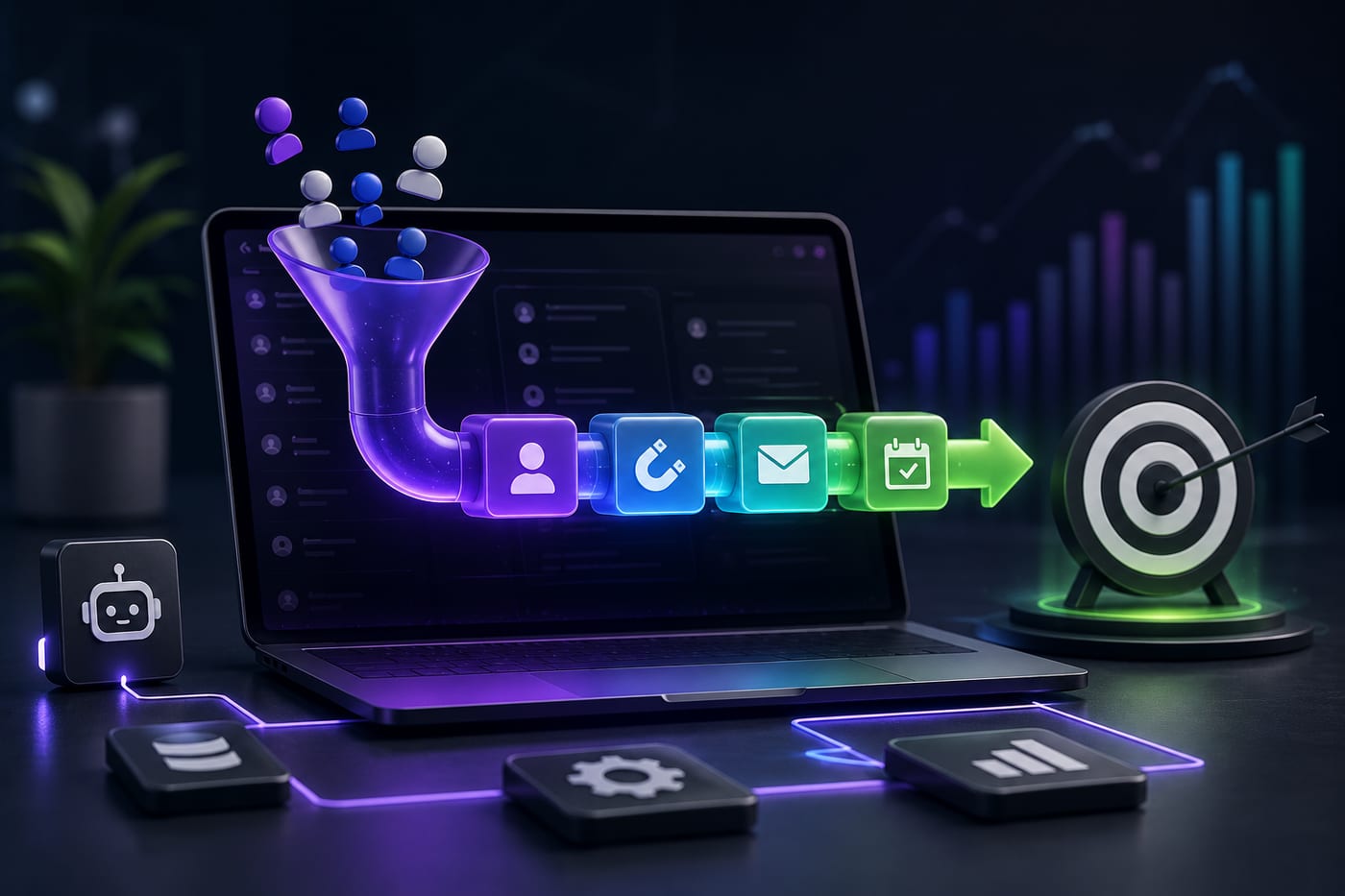
Here are the five steps a fully integrated scheduling workflow handles automatically:
Step 1: Booking triggers a pipeline move. When someone schedules, their contact record should move to the next pipeline stage automatically. No manual CRM update. No one forgetting to drag a card. The system knows a booking happened and reflects it instantly.
Step 2: Pre-appointment nurture kicks off. One or two reminders (text, email, or both) go out between booking and appointment. This isn't a nice-to-have. A systematic review in the Journal of Telemedicine and Telecare found that SMS reminders reduce non-attendance rates by 38% on average across multiple settings. An Imperial College London study confirmed the same figure. Automated reminders with a confirm/reschedule option cut no-shows by roughly a third without anyone on your team sending a single text.
Step 3: Post-appointment follow-up fires within minutes. Not hours. Not "when someone remembers." The moment a job is marked complete, the system sends a review request, a referral ask, or a quote for the next service. The timing matters because customer satisfaction peaks immediately after a positive experience and decays fast.
Step 4: No-shows trigger recovery, not silence. A missed appointment should trigger an automatic text-back ("We missed you today. Want to reschedule?") and a follow-up email within 24 hours. Most businesses treat no-shows as dead appointments. They're not dead. They're recoverable if you respond within the window.
Step 5: Everything logs to the contact record. When a team member pulls up a client file, they see the full picture: what was booked, what was confirmed, whether the customer showed up, what follow-up was sent, and what the next step is. No digging through three apps. No asking "did we send the reminder?"
Most scheduling tools handle Step 1. Some handle Step 2. Very few connect all five into one system where nothing requires manual intervention.
The no-show math most owners never run
Let's make this concrete. A service business that books 30 appointments per month with a 15% no-show rate loses 4 to 5 appointments every month. At an average job value of $400, that's $1,600 to $2,000 in monthly revenue walking out the door.
But automated reminders cut no-shows by roughly 38% according to the research. That recovers 1 to 2 of those appointments per month, or $400 to $800 in revenue that would have otherwise disappeared.
Now add the second layer. Of the 25 to 26 appointments that do happen, how many result in a Google review request? If the answer is "we ask sometimes, when we remember," the real number is close to zero. Automated post-job review requests sent within 24 hours of completion generate reviews at dramatically higher rates than manual asks. Over 12 months, that's the difference between 30 reviews and 200, which directly affects how many new customers find you on Google in the first place.
And the third layer: how many completed jobs trigger a follow-up for repeat business? A quarterly maintenance plan, a seasonal check-up, an annual inspection. If your CRM doesn't automatically schedule the next touchpoint after a completed job, you're relying on the customer to remember you. They won't.
Each of these layers compounds. No-show recovery plus automated reviews plus repeat business scheduling, all triggered from the same appointment event. That's the revenue loop that most small business CRMs don't create because scheduling, CRM, and communication live in separate tools.
Six things to check before you buy or renew any CRM
Here's a practical evaluation checklist for any platform you're considering in 2026:
Scheduling-to-pipeline automation. Does booking an appointment automatically move a deal stage without manual input? If not, someone on your team is updating the CRM by hand every time, and they'll stop doing it within a month.
No-show recovery. Does the system trigger an automatic text or email when someone misses an appointment, or does the lead just disappear? Recovery sequences turn dead slots into rescheduled jobs.
Post-job follow-up. Does the system automatically request a Google review and schedule the next touchpoint after a job is completed? If this is a manual task, it happens inconsistently.
Invoice and payment tracking. Can you send a quote, get it approved, and collect payment inside the same system where you manage the contact? If invoicing lives in a separate tool, you're adding a handoff point where deals stall.
Missed-call text-back. When a prospect calls and nobody picks up, does the system send a personalized text within seconds? Or does that lead just see a missed call and dial the next Google result?
Role-based permissions. If you have a team, can you control who sees the pipeline, the financials, and the customer records without needing an IT consultant to configure it?
If your current platform can't check at least four of these six without a third-party integration, you're paying for complexity, not capability.
The AI shift that's already happening
Salesforce's State of Sales report, surveying over 5,500 sales professionals, found that 83% of sales teams using AI saw revenue growth compared to 66% of teams without it. The gap isn't because AI is magic. It's because AI handles the work between steps: flagging cold leads, drafting follow-ups, updating records, and surfacing the next best action so your team doesn't start every day figuring out who to call.
For a small service business, this means the system should be watching for contacts who went quiet after a quote, suggesting follow-up timing based on engagement, and automating the routine steps between "lead appeared" and "invoice paid." The businesses that build this infrastructure now are creating a structural advantage over competitors still doing every step manually.
Putting it together
The single highest-leverage feature most small businesses are missing isn't AI, a lead scraper, or a better email template. It's the connection between their scheduling tool and everything that happens after someone books.
LeadProspecting AI was built to close that gap. Scheduling, pipeline automation, no-show recovery, post-job review requests, invoicing, and follow-up sequences all run from one dashboard. If you want to see how the five-step workflow described above works for your specific business, the free trial is the fastest way to find out, no credit card required.
Frequently asked questions
What's the difference between scheduling software and a full CRM? Scheduling software handles the booking: availability, confirmations, and reminders. A full CRM connects that booking to a contact record, a pipeline stage, a payment workflow, and a follow-up sequence. The real value isn't in scheduling alone. It's in what happens automatically after someone books.
How much revenue am I losing to no-shows if I don't have automated reminders? The research shows average no-show rates for service businesses range from 10% to 20%. At 15% on 30 monthly appointments with a $400 average job value, that's roughly $1,800 per month. Automated SMS reminders cut no-shows by about 38%, recovering $600 to $700 monthly. The reminder pays for itself many times over.
Can I just use a free scheduling tool and connect it to my CRM? You can, but every integration point is a place where data breaks or gets lost. Free scheduling tools don't trigger pipeline moves, don't fire post-job sequences, and don't recover no-shows. You get the booking but lose everything that makes the booking valuable.
How do I recover a no-show without being pushy? An automated text within 30 minutes of the missed appointment works best. Keep it simple: "We missed you today. Want to reschedule? Here's a link." No guilt. No pressure. Most people who no-show didn't do it intentionally. They forgot or something came up. Making it easy to rebook recovers a significant percentage without damaging the relationship.
Is AI in a CRM actually useful for a small team, or is it just marketing? It depends on what the AI does. If it writes generic email templates, that's marginal value. If it watches your pipeline, flags contacts going cold, suggests follow-up timing, and automates record updates so your team doesn't do data entry, that's a real time-saver. The Salesforce data showing 83% of AI-using teams growing revenue reflects this: the value is in automation of the steps between steps, not in any single flashy feature.