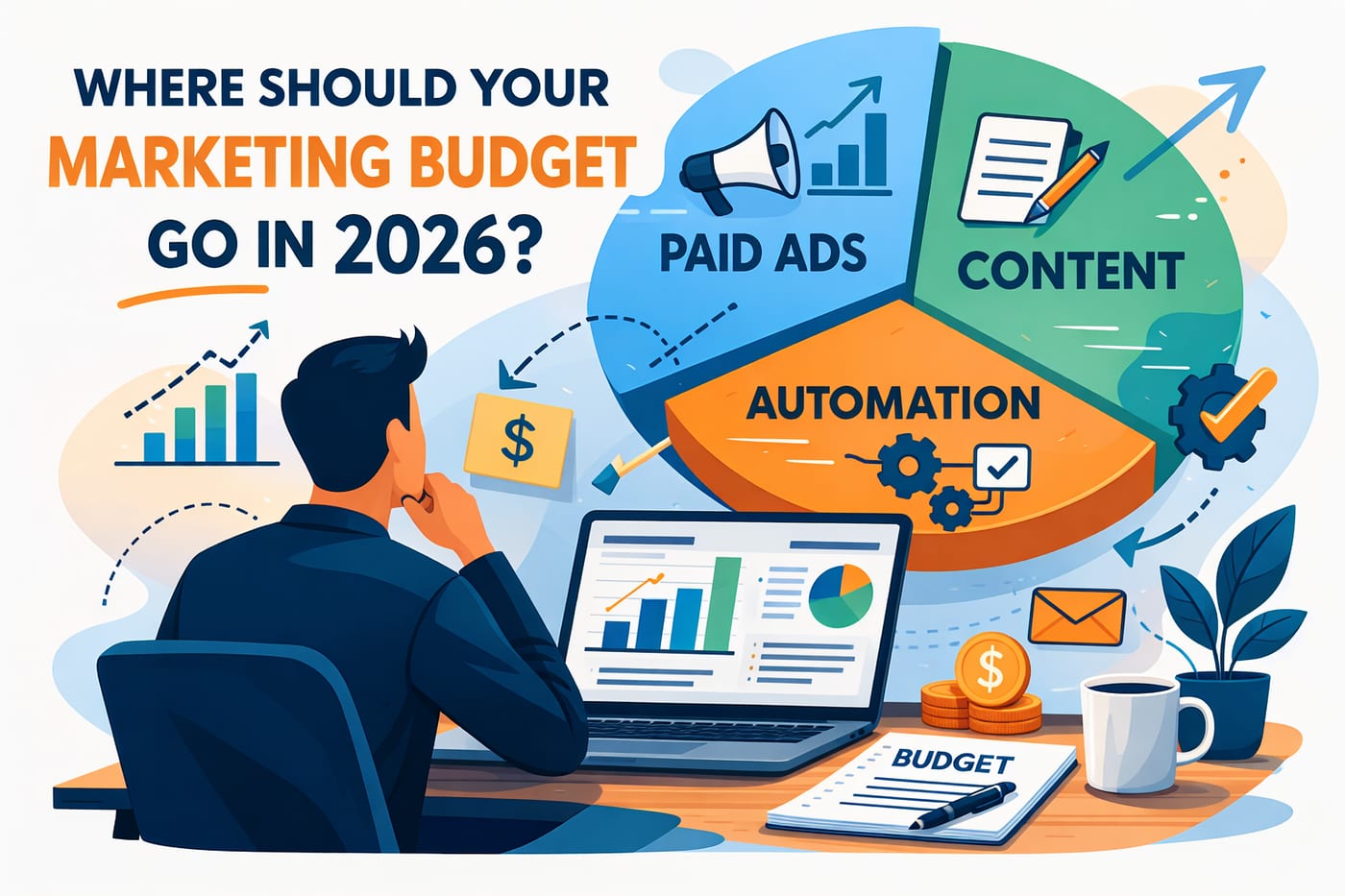
Quick Takeaway: The best CRM for small business success, combined with marketing automation and content marketing, delivers 3x better ROI than paid advertising. Companies using integrated systems like LeadProspecting Ai report 35% higher customer retention, 15-20 hours saved weekly, and 50% more qualified leads within 6 months. While most comprehensive solutions cost $200-500+ monthly, LeadProspecting Ai provides all essential features for just $99/month for the first user and $35 for each additional user—making professional automation accessible to every small business owner.
Best for: Service businesses with 25+ customer contacts
Timeline: 2-4 weeks for basic implementation, 3-6 months for full optimization
Cost: LeadProspecting Ai: $99/month (vs $300-500+ for comparable solutions)
ROI: 35% improvement in customer retention, 50% more organic leads
Running a small business today means wearing multiple hats while your time and budget remain limited. Whether you’re operating a construction company, healthcare practice, retail store, or professional service firm, you need marketing strategies that deliver measurable results without draining your resources. Smart entrepreneurs are discovering that customer relationship management solutions combined with business automation and content marketing consistently outperform expensive paid advertising campaigns.
As a small business owner, you understand the challenge of competing against larger companies with bigger marketing budgets. While competitors pour thousands into Facebook ads and Google AdWords with diminishing returns, successful businesses are building sustainable growth systems that work around the clock—generating leads and nurturing relationships even when you’re focused on serving customers or managing daily operations.
Understanding the CRM, Automation, and Content Marketing Advantage
The most successful small businesses have discovered a powerful truth: CRM software, automated follow-up systems, and organic marketing strategies create compounding value that paid advertising simply cannot match. Unlike rented attention from ads, these tools build permanent business assets that appreciate over time.
The Small Business Reality Check: Companies implementing this integrated approach typically see their first positive ROI within 90 days, compared to paid advertising, which requires continuous investment just to maintain visibility. More importantly, these systems become more valuable as your customer database grows and your content library expands.
CRM Software: The Foundation of Small Business Success
Customer relationship management represents far more than digital contact storage—it’s the command center that transforms how businesses interact with prospects and customers. A proper CRM system organizes every touchpoint, conversation, and opportunity in one accessible location while providing actionable insights for growth.
What CRM Does for Small Businesses
Modern customer management systems serve as your business intelligence hub, tracking customer interactions from initial contact through final sale and beyond. For small businesses, this means never losing track of a lead, missing a follow-up, or delivering inconsistent customer experiences.
Core CRM Functions:
- Centralizes all customer information and interaction history
- Tracks sales pipeline progression and identifies bottlenecks
- Manages automated follow-ups to prevent leads from going cold
- Provides professional communication templates that build trust
- Stores customer preferences for personalized service delivery
- Generates reports showing which marketing efforts produce results
- Integrates with email, phone, and text messaging systems
- Schedules appointments and sends automatic reminders
Real Business Example: Instead of juggling sticky notes, business cards, and scattered spreadsheets, imagine having complete customer profiles at your fingertips. When a prospect calls about that estimate from three weeks ago, you instantly access their project details, previous conversations, and specific preferences—delivering the professional experience that builds lasting relationships.
CRM vs Spreadsheet: Why Small Businesses Must Upgrade
Many small businesses start with Excel or Google Sheets for contact management, but this approach quickly becomes a growth bottleneck. Customer database software provides capabilities that spreadsheets simply cannot deliver.
Spreadsheet Limitations:
- Cannot send automated emails or text messages
- No integration with phone systems or calendars
- Manual data entry creates errors and duplicates
- No pipeline tracking or sales forecasting
- Limited search and filtering capabilities
- No automated follow-up reminders
- Cannot track customer interaction history
CRM Software Advantages:
- Automated communication sequences
- Real-time pipeline visibility
- Mobile access for field operations
- Integration with existing business tools
- Professional email templates and branding
- Detailed analytics and reporting
- Scalable as your business grows
The Tipping Point: Most small businesses discover they need CRM implementation when managing more than 50 active prospects becomes overwhelming. However, businesses that start with CRM from day one grow faster because they never lose leads or miss opportunities.
Choosing the Best CRM for Small Business
Affordable CRM options range from basic free systems to comprehensive platforms, but finding one that includes everything you need without paying for multiple separate tools can be challenging. Most small businesses end up paying $200-500+ monthly when they piece together CRM, automation, content marketing, and communication tools separately.
The LeadProspecting Ai Advantage: Unlike competitors who charge separately for each feature, LeadProspecting Ai provides a complete business growth system for just $99/month for your first user and $35 for each additional team member. This includes everything other companies charge hundreds more for:
- Complete CRM System: Full contact management, pipeline tracking, and sales analytics
- Marketing Automation: Email sequences, text messaging, and follow-up campaigns
- Content Marketing Tools: Blog management, social media scheduling, and SEO optimization
- Communication Hub: Integrated email, SMS, and voice calling
- Appointment Scheduling: Online booking with automatic reminders
- Quote Generation: Professional estimates with automated follow-up
- Analytics Dashboard: Comprehensive reporting and ROI tracking
- Mobile Access: Full functionality on phones and tablets
Cost Comparison for Small Businesses:
- Separate Tools: HubSpot Pro ($450) + Mailchimp ($79) + Buffer ($99) + Calendly ($96) = $724/month
- Enterprise Solutions: Salesforce + Marketing Cloud + Service Cloud = $500-1,200/month
- LeadProspecting Ai: Complete integrated system = $99/month (first user) + $35 per additional user
Why This Matters for Small Businesses: You get enterprise-level capabilities at small business pricing, with everything working together seamlessly instead of managing multiple logins, data syncing issues, and separate billing.
Business Automation: Your 24/7 Marketing Team
Marketing automation transforms repetitive tasks into systematic processes that work continuously without manual intervention. For small businesses, this means professional, timely communication that builds relationships while you focus on service delivery.
Automated Follow-Up Systems That Convert
Automated follow-up systems ensure no prospect ever falls through the cracks while maintaining consistent, professional communication that builds trust with customers.
Essential Automation Workflows:
New Lead Nurturing Sequence:
- Immediate welcome email with company information
- Day 2: Educational content relevant to their inquiry
- Day 5: Case study or success story from a similar customer
- Day 10: Special offer or consultation invitation
- Day 20: Final follow-up with alternative solutions
Appointment Scheduling Automation:
- Online booking system eliminates phone tag
- Automatic confirmation emails with location details
- 24-hour reminder texts to reduce no-shows
- Post-appointment follow-up requesting feedback
- Rebooking reminders for recurring services
Quote Automation Software:
- Professional estimates delivered within hours
- Automated follow-up if quote isn’t accepted within 7 days
- Customizable templates maintain brand consistency
- Integration with CRM for tracking and analysis
- Mobile-friendly delivery for customer convenience
Workflow Automation for Business Operations
Workflow automation streamlines internal processes while ensuring customers receive consistent experiences regardless of which team member handles their account.
Customer Service Automation:
- Support ticket routing based on expertise areas
- Automatic status updates keep customers informed
- Escalation procedures for complex issues
- Customer satisfaction surveys after resolution
- Knowledge base articles for common questions
Sales Process Automation:
- Lead scoring based on engagement and demographics
- Automatic assignment to appropriate sales representatives
- Pipeline stage advancement triggers
- Proposal generation and delivery
- Contract management and electronic signatures
Marketing Campaign Automation:
- Email sequences based on customer behavior
- Social media posting schedules
- Content publishing and distribution
- Lead magnet delivery systems
- Event registration and follow-up
Text Message Automation for Immediate Impact
Email automation reaches customers in their inbox, but text message automation delivers critical communications directly to their phones, achieving 98% open rates compared to 20% for email. Small businesses use SMS automation for time-sensitive communications that drive immediate action.
Effective SMS Automation Uses:
- Appointment confirmations and reminders
- Service completion notifications
- Payment due reminders
- Special promotional offers
- Emergency service availability
- Customer satisfaction surveys
- Referral request campaigns
Compliance Note: SMS marketing requires explicit customer consent and must include opt-out instructions. However, transactional messages like appointment reminders typically don’t require marketing consent.
Content Marketing: Building Authority Through Value
Content marketing establishes your business as the trusted expert in your field while attracting customers through helpful, educational information. Unlike paid advertising, quality content continues to generate leads for years after publication.
SEO Content Strategy for Small Businesses
SEO content optimized for search helps customers find your business when they need your services. This involves creating valuable articles targeting keywords your prospects actually search for.
High-Impact Content Topics:
- “Best [Your Service] for Small Business: Complete Guide”
- “How to Choose [Your Service]: Expert Tips for Success”
- “[Industry] Costs: What Small Businesses Actually Pay”
- “DIY vs Professional [Service]: Business Owner’s Guide”
- “Small Business [Service] Mistakes That Cost Money”
Content Creation Process:
- Research what customers search for online
- Create comprehensive guides answering common questions
- Include specific examples and case studies
- Optimize for search engines with relevant keywords
- Promote through social media and email newsletters
- Update regularly to maintain search engine rankings
Blog Writing Services vs In-House Content
Many small businesses struggle with consistent blog writing due to time constraints and writing expertise. Understanding your options helps make the right choice for your situation.
In-House Content Creation:
- Complete control over messaging and timing
- Deep understanding of your business and customers
- Lower ongoing costs after the initial learning curve
- Requires 3-5 hours weekly for quality content
- May lack SEO and marketing optimization expertise
Professional Blog Writing Services:
- Expert knowledge of SEO and content marketing
- Consistent publishing schedule
- Professional writing quality and optimization
- Higher upfront costs but better results
- Frees up your time for core business activities
Hybrid Approach: Many successful businesses provide expertise and ideas while professional writers handle creation and optimization. This combines your industry knowledge with marketing expertise.
Social Media Management for Business Growth
Social media management keeps your business visible in your community while building relationships that lead to customers and referrals. Consistent posting demonstrates your expertise and commitment to serving customers.
Platform Priority for Small Businesses:
- Facebook: Essential for local business visibility and community engagement
- Instagram: Perfect for visual businesses (construction, landscaping, retail)
- LinkedIn: Important for B2B services and professional networking
- Google My Business: Critical for local search visibility
- YouTube: Excellent for educational content and demonstrations
Content Calendar Strategy:
- Monday: Educational tips relevant to your industry
- Wednesday: Behind-the-scenes look at your business operations
- Friday: Customer success stories or project showcases
- Weekly: Community involvement or local event participation
- Monthly: Company news and team member spotlights
Integration Strategy: When Systems Work Together
The real power emerges when CRM, automation, and content marketing function as one integrated system. This creates a seamless customer experience while maximizing the efficiency of your marketing investment.
The Perfect Customer Journey
Discovery Phase: A potential customer searches Google for “best [your service] near me” and finds your comprehensive blog post about choosing service providers. The article provides valuable information while demonstrating your expertise.
Engagement Phase: At the end of your article, you offer a free “Business Owner’s Service Selection Checklist.” The visitor provides their email address to download the guide, automatically entering your CRM system.
Nurturing Phase: Your automated follow-up system sends them helpful emails over the next month:
- Day 1: Welcome email with checklist download
- Day 3: Article about common problems in your industry
- Day 7: Video showing proper maintenance or usage tips
- Day 14: Case study of recent successful project
- Day 21: Special offer for consultation with seasonal tips
- Day 30: Final follow-up with testimonials from satisfied customers
Conversion Phase: When they’re ready for service, they already know your expertise and trust your advice. Instead of choosing based on price alone, they contact you as their preferred service provider.
Retention Phase: Your CRM tracks their service history, preferences, and contact information. Automation sends seasonal maintenance reminders, helpful tips, and special offers for existing customers.
Technology Stack for Small Businesses
Essential Integration Components:
- CRM Platform: Centralized customer data and communication history
- Email Marketing: Automated sequences and newsletters
- SMS Platform: Text message automation and reminders
- Content Management: Blog publishing and SEO optimization
- Social Media Scheduler: Consistent posting across platforms
- Analytics Tools: Tracking performance and ROI measurement
Traditional Multi-Tool Approach Costs:
- HubSpot Professional ($450) + Mailchimp Pro ($299) + Buffer Business ($99) + Calendly Pro ($96) = $944/month
- ActiveCampaign ($79) + Pipedrive ($99) + Later ($40) + Acuity ($34) + Google Workspace ($72) = $324/month
- Salesforce ($150) + Pardot ($1,250) + Hootsuite ($599) + Calendly ($96) = $2,095/month
The LeadProspecting Ai Solution: Instead of juggling multiple platforms, subscriptions, and integrations that often break, LeadProspecting Ai provides everything in one unified system:
- All-in-One Platform: No data syncing issues or multiple logins
- Unified Pricing: $99/month first user, $35 for each additional user
- Complete Feature Set: CRM, automation, content tools, communication, scheduling, and analytics
- Seamless Integration: Everything works together perfectly from day one
- Professional Support: Understanding of small business needs and challenges
- Scalable Growth: Add team members for just $35/month each
Real Business Example: A regional HVAC company replaced HubSpot ($450), Mailchimp ($79), Calendly ($96), and TextMagic ($49) with LeadProspecting Ai ($99), saving $575 monthly while gaining better functionality and easier management.
Budget Analysis: ROI of Organic vs Paid Marketing
Affordable marketing doesn’t mean cheap—it means investing in strategies that provide lasting value rather than temporary visibility. The numbers clearly favor integrated organic marketing over paid advertising for most small businesses.
Real Cost Comparison for Small Businesses
Traditional Paid Advertising Costs:
- Facebook Ads: $500-2,000/month for meaningful reach
- Google AdWords: $800-3,000/month depending on competition
- Local Radio/TV: $1,000-5,000/month for regular presence
- Print Advertising: $300-1,500/month with declining effectiveness
- Total Monthly: $2,600-11,500 with no lasting value
Traditional Multi-Platform Marketing Costs:
- CRM Software: $100-450/month (HubSpot, Salesforce)
- Email Marketing: $50-300/month (Mailchimp, Constant Contact)
- Marketing Automation: $100-500/month (Pardot, Marketo)
- Social Media Tools: $30-200/month (Hootsuite, Buffer)
- Scheduling Software: $35-100/month (Calendly, Acuity)
- Content Management: $50-200/month (various tools)
- Total Monthly: $365-1,750 across multiple platforms
LeadProspecting Ai Integrated Solution:
- Complete System: $99/month for first user
- Additional Team Members: $35/month each
- Everything Included: CRM, automation, content tools, SMS, email, scheduling, analytics
- Average 3-Person Team Cost: $99 + $70 = $169/month
- Annual Savings vs Traditional: $2,340-18,372 per year
The Small Business Value Proposition: Companies get enterprise-level marketing capabilities for less than most businesses pay for basic CRM alone, with everything working together seamlessly instead of managing multiple vendor relationships and integration headaches.
Long-Term Value Creation Analysis
Year One Comparison:
- Paid Advertising: $31,200-138,000 spent with zero residual value
- Traditional Multi-Tool Approach: $4,380-21,000 across multiple platforms with integration challenges
- LeadProspecting Ai: $1,188-3,588 for a complete integrated system with permanent business assets
Year Three Impact:
- Paid Advertising: Same ongoing costs for same results
- Traditional Tools: Increasing costs as you outgrow free tiers, plus ongoing integration maintenance
- LeadProspecting Ai: Established authority, growing customer database, increasing search rankings, expanding content library, all managed in one system
The Compound Effect: While other solutions become more expensive and complex as you grow, LeadProspecting Ai scales seamlessly. Your customer database grows, content library expands, search rankings improve, and automation becomes more sophisticated—all within one platform at predictable pricing.
Measuring ROI for Small Businesses
Key Performance Indicators:
- Customer Acquisition Cost: Cost to acquire each new customer
- Customer Lifetime Value: Total revenue from the average customer relationship
- Lead Quality Score: Percentage of leads that become paying customers
- Retention Rate: Percentage of customers who return or provide referrals
- Organic Traffic Growth: Increase in website visitors from search engines
- Email Engagement: Open rates, click rates, and conversion rates
Realistic Timeline Expectations:
- Month 1-3: System setup, initial content creation, baseline measurement
- Month 4-6: First measurable improvements in lead quality and customer retention
- Month 7-12: Significant organic traffic growth and automation efficiency gains
- Year 2+: Compound growth effects, reduced acquisition costs, improved profitability
Small Business Market Advantages
Small businesses enjoy unique advantages when implementing organic marketing strategies. Agility, personal relationships, and focused expertise create opportunities for rapid authority building and customer loyalty development.
Community-Focused Marketing Benefits
Local Network Effects: When you consistently provide valuable content and maintain professional customer relationships, you become the business that other entrepreneurs refer to. This network effect multiplies in markets where reputation travels quickly through community connections.
Industry Association Integration: Active participation in professional organizations provides content opportunities while building relationships that lead to referrals. Document your involvement through social media and blog content to reinforce your community commitment.
Seasonal Business Optimization: Many small businesses experience seasonal fluctuations. Marketing automation maintains prospect relationships during slow periods, ensuring you’re top-of-mind when demand increases. Content marketing helps you capture early-season planning searches.
Competitive Landscape Opportunities
Digital Marketing Gap: Many established small businesses still rely on traditional advertising methods or basic websites. This creates opportunities for businesses implementing modern CRM, automation, and content marketing strategies to quickly establish market leadership.
Local Search Dominance: Competition for industry-specific keywords remains relatively manageable for most service areas. Consistent content creation and local SEO optimization can achieve first-page Google rankings within 6-12 months.
Voice Search Optimization: As customers increasingly use voice search (“Hey Siri, find the best plumber near me”), businesses with comprehensive FAQ content and local optimization will capture these high-intent searches.
Implementation Roadmap for Small Business Success
Phase 1: Foundation Building (Weeks 1-4)
LeadProspecting Ai Setup:
- Complete System Implementation: Import existing customers into integrated CRM
- Unified Dashboard Setup: Access all tools (CRM, email, SMS, scheduling) from one login
- Pipeline Configuration: Set up sales stages reflecting your business process
- Team Training: One platform to learn instead of juggling multiple systems
- Mobile App Installation: Full functionality on phones and tablets
Content and Communication Setup:
- Blog Integration: Built-in content management system for SEO
- Email Templates: Professional, branded templates for all communications
- SMS Campaigns: Text message automation for appointments and follow-ups
- Social Media Connect: Manage all platforms from a central dashboard
- Analytics Configuration: Track everything from one reporting system
Cost Reality Check: Instead of paying setup fees and learning curves for 4-6 different platforms, small businesses get everything configured in one system for immediate productivity.
Phase 2: Content Creation and Automation (Weeks 5-12)
Content Development:
- Publish weekly blog posts targeting industry keywords
- Create downloadable resources (checklists, guides, templates)
- Develop case studies from satisfied customers
- Record video content demonstrating your expertise
- Build an FAQ section answering common customer questions
Advanced Automation:
- Implement lead scoring based on engagement and demographics
- Create automated follow-up sequences for different customer types
- Set up abandoned quote recovery campaigns
- Configure customer satisfaction surveys
- Build referral request automation for happy customers
Social Media Consistency:
- Establish a regular posting schedule across chosen platforms
- Engage with industry groups and discussions
- Share behind-the-scenes content showing your team and process
- Highlight customer success stories and testimonials
- Participate in relevant online conversations and forums
Phase 3: Optimization and Scaling (Months 4-6)
Performance Analysis:
- Review CRM reports to identify the most effective lead sources
- Analyze content performance to focus on high-converting topics
- Test email subject lines and automation timing for better engagement
- Monitor search rankings and optimize underperforming content
- Survey customers about their experience and preferences
System Integration:
- Connect all platforms for seamless data sharing
- Implement advanced reporting dashboards
- Set up attribution tracking to identify which content drives sales
- Create workflow automation for complex business processes
- Develop customer segmentation for targeted marketing
Expansion Strategies:
- Guest posting on relevant industry websites
- Speaking at professional events and organizations
- Partnering with complementary businesses for cross-promotion
- Expanding content into new formats (podcasts, webinars, workshops)
- Building an email list through strategic lead magnets
Common Implementation Mistakes to Avoid
Mistake #1: Trying to Implement Everything Simultaneously
The Problem: Many enthusiastic business owners attempt to launch CRM, complete automation, and content marketing simultaneously, leading to overwhelm and poor execution.
The Solution: Focus on one system at a time. Most successful businesses start with basic CRM implementation, master contact management, and simple automation, then gradually add content marketing and advanced features.
Realistic Timeline:
- Month 1-2: CRM setup and basic contact management
- Month 3-4: Simple automation (welcome emails, appointment reminders)
- Month 5-6: Content creation and social media consistency
- Month 7+: Advanced automation and system optimization
Mistake #2: Creating Generic Content That Doesn’t Address Customer Needs
The Problem: Using generic industry content that could apply anywhere, missing opportunities to connect with specific customer pain points and search terms.
The Solution: Research what your actual customers ask about most frequently. Create content that addresses these specific questions with detailed, actionable information.
Content Research Methods:
- Survey existing customers about their biggest challenges
- Analyze support tickets and common questions
- Use keyword research tools to identify search terms
- Monitor industry forums and social media discussions
- Review competitor content for gaps and opportunities
Mistake #3: Set-and-Forget Automation Approach
The Problem: Implementing automation systems without ongoing monitoring and optimization leads to outdated content, broken sequences, and poor customer experiences.
The Solution: Schedule regular review sessions to update automation content, test email sequences, review customer feedback, and optimize based on performance data.
Monthly Maintenance Tasks:
- Review automation performance reports
- Update seasonal content in email sequences
- Check for broken links in automated emails
- Survey recent customers about their experience
- Test all automated workflows from start to finish
Mistake #4: Neglecting Mobile Optimization
The Problem: Focusing on the desktop experience while customers increasingly interact with businesses through mobile devices.
The Solution: Ensure all content, emails, and automation sequences provide excellent mobile experiences. Test everything on smartphones and tablets before launch.
Mobile Optimization Checklist:
- Responsive email templates that look good on all devices
- Mobile-friendly content formatting with short paragraphs
- Click-to-call phone numbers in email signatures
- Easy-to-tap buttons and links
- Fast-loading images and content
Mistake #5: Insufficient Performance Tracking
The Problem: Implementing systems without proper measurement makes it impossible to identify what works and what needs improvement.
The Solution: Set up comprehensive tracking from day one, including website analytics, email performance metrics, CRM reporting, and customer feedback systems.
Essential Tracking Elements:
- Google Analytics for website traffic and behavior
- Email open rates, click rates, and conversion tracking
- CRM pipeline reports and lead source analysis
- Social media engagement and reach metrics
- Customer satisfaction scores and feedback
Frequently Asked Questions
How much does a comprehensive CRM and automation cost for small businesses?
Most small businesses end up paying $300-800 monthly when they piece together separate CRM, email marketing, automation, and scheduling tools. LeadProspecting Ai provides all these features in one integrated system for just $99/month for your first user and $35 for each additional team member. This includes complete CRM, marketing automation, email campaigns, SMS messaging, appointment scheduling, content management, and analytics—everything other companies charge separately for. The investment typically pays for itself within 60 days through improved efficiency and customer retention.
How long does CRM implementation take for small businesses?
CRM implementation for small businesses typically takes 2-4 weeks for basic setup and 2-3 months for full optimization. Simple systems like LeadProspecting AI can be operational within days, while comprehensive solutions requiring data migration and custom workflows may take longer. Most businesses see immediate improvements in organization and follow-up consistency, with full ROI realized within 6 months.
Can I migrate from spreadsheets to CRM software easily?
Yes, most modern customer management systems offer straightforward import tools for Excel and Google Sheets data. The migration process typically takes 2-4 hours for basic contact information. However, cleaning and organizing your data before migration ensures better results and prevents duplicate entries. Many businesses discover data quality issues during migration that, once resolved, significantly improve their customer relationships.
What’s better for small businesses: CRM software or spreadsheets?
While spreadsheets work for very small operations (under 25 contacts), CRM software becomes essential for growth. CRMs offer automated follow-ups, sales pipeline tracking, email integration, and professional communication tools that spreadsheets cannot provide. Most small businesses see immediate improvements in customer service quality, lead conversion rates, and time savings when upgrading from spreadsheets to proper customer relationship management systems.
How does marketing automation save time for small businesses?
Marketing automation eliminates repetitive tasks like sending follow-up emails, appointment reminders, and thank-you messages. Small businesses typically save 15-20 hours weekly through automation, allowing them to focus on service delivery and customer relationships. Automated systems work 24/7, ensuring no leads are forgotten and all customers receive consistent, professional communication regardless of your schedule.
Does content marketing really work better than paid ads for small businesses?
Content marketing delivers superior long-term results for most small businesses. While paid ads require continuous investment for temporary visibility, quality content continues attracting customers for years after publication. Businesses using consistent content marketing report 50% more website traffic and 40% more qualified leads within 6 months, at 62% lower cost than equivalent paid advertising campaigns.
What’s the minimum budget needed to implement these systems effectively?
Small businesses can implement a complete marketing system with LeadProspecting Ai for just $99/month (first user) plus $35 for each additional team member. This single investment provides everything other solutions charge $400-800+ monthly for: CRM, marketing automation, email campaigns, SMS messaging, appointment scheduling, content management, social media tools, and comprehensive analytics. Most businesses see positive ROI within 60 days, compared to piecing together multiple platforms that cost more and work poorly together.
How do I measure success with CRM, automation, and content marketing?
Track key metrics including customer acquisition cost, lead conversion rates, customer retention percentages, and organic website traffic growth. Most successful businesses also monitor email engagement rates, social media reach, and customer satisfaction scores. Set baseline measurements before implementation, then review progress monthly to identify what’s working and what needs optimization.
Can these systems work for seasonal businesses?
Business automation works exceptionally well for seasonal operations. Automated nurturing sequences maintain prospect relationships during slow periods, ensuring you’re top-of-mind when demand increases. Content marketing helps capture early-season planning searches, while CRM systems track customer preferences and seasonal service history for better targeting and timing.
What happens if I need to add more team members later?
LeadProspecting Ai scales seamlessly with your business growth. Additional team members cost just $35/month each and get full access to all system features, including CRM, automation, content tools, and analytics. Unlike other platforms that charge per feature or limit functionality, every user gets complete access to help your team work together effectively as you grow.
Ready to implement CRM, automation, and content marketing for your small business without the complexity and cost of multiple platforms? LeadProspecting Ai provides everything you need in one integrated system for just $99/month (first user) plus $35 for additional team members. While competitors charge $400-800+ monthly for separate tools that don’t work well together, our complete solution includes CRM, marketing automation, email campaigns, SMS messaging, appointment scheduling, content management, social media tools, and analytics. Contact our team to discover how small businesses nationwide are growing faster while spending less on marketing technology.