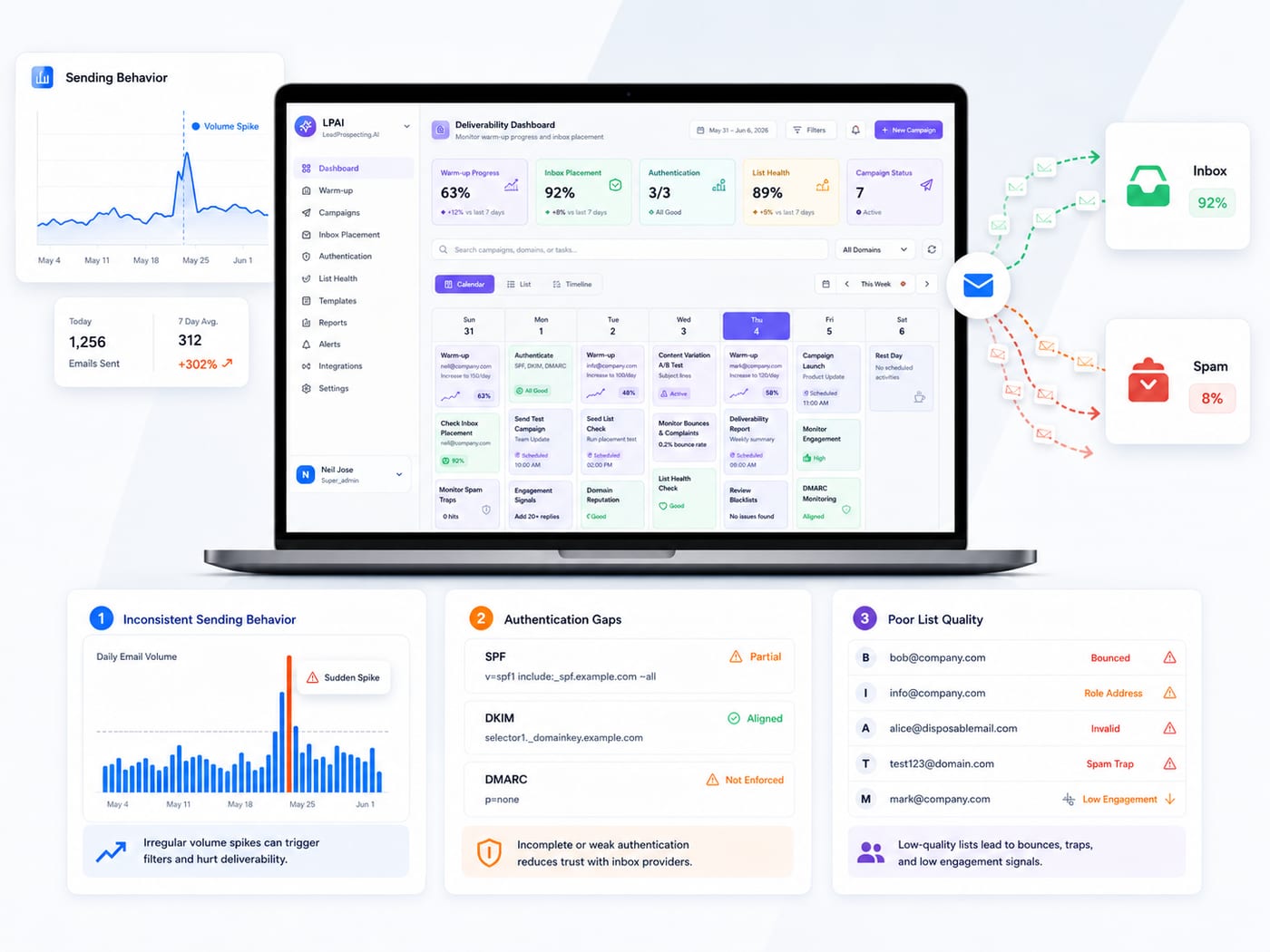
Why Email Warm-Up Matters More Than Your Subject Line
You built a list. You wrote the email. You hit send on a brand-new domain and watched your campaign disappear into spam folders before a single prospect ever saw it.
This is not a copywriting problem. It is a sender reputation problem, and the numbers behind it are worse than most small business owners realize.
Kaspersky's 2024 Spam and Phishing Report found that 47.27% of global email traffic in 2024 was spam. That means mailbox providers like Gmail, Outlook, and Yahoo are operating in an environment where nearly half of all email is junk. Their default posture is suspicion, and a brand-new domain sending outreach volume has no history to prove otherwise.
This guide covers what email warm-up actually does, why authentication has to come first, what a realistic timeline looks like, and the mistakes that quietly undo progress even when businesses follow the right volume schedule.
What Sender Reputation Is and Why New Domains Start at Zero
Every domain that sends email gets assigned a trust score by mailbox providers. That score is built from your sending history: whether recipients open your emails, reply to them, mark them as spam, or ignore them entirely. A brand-new domain has none of that history, which means it has no trust.
According to Validity's 2024 Email Deliverability Benchmark, roughly one in six legitimate emails never reaches the inbox, keeping the global average inbox placement rate around 84%. For new domains, the gap is far steeper.
The Digital Bloom's B2B Email Deliverability Report 2025 measured the impact of domain age directly: new domains average around 55% inbox placement, compared to 85% for mature, established domains. That is a 30 percentage point penalty simply for being new, before any other factors come into play.
Email warm-up is the process of closing that gap. By gradually increasing sending volume and generating consistent positive engagement signals, you give mailbox providers the behavioral history they need to classify your domain as legitimate. The credit score analogy is accurate: you cannot demand trust before you have earned it.
The Technical Foundation You Cannot Skip: SPF, DKIM, and DMARC
Before warming up any email address, you need three DNS records configured correctly. Many businesses skip this step or set it up incorrectly, then wonder why warm-up is not working. Authentication is not optional anymore.
In February 2024, Google and Yahoo mandated SPF, DKIM, and DMARC for any bulk sender transmitting more than 5,000 emails per day to their users. Microsoft followed with similar requirements in May 2025. These are not best practices. They are enforced requirements, and non-compliance means filtered or rejected email regardless of how carefully you manage your sending volume.
Here is what each one does: SPF authorizes which servers can send email on behalf of your domain. DKIM adds a cryptographic signature that proves messages were not altered in transit. DMARC defines what receiving servers should do when either SPF or DKIM fails, and gives you reporting visibility into who is sending from your domain.
The data on their impact is clear. The Digital Bloom's 2025 B2B report found that fully authenticated senders with all three protocols in place are 2.7 times more likely to reach the inbox compared to unauthenticated senders.
Despite this, adoption remains low. Analysis of the top 10 million internet domains found that only one-third have a valid DMARC record, and of those, 85.7% lack real enforcement. Only 7.6% of domains use a quarantine or reject policy that actually protects against spoofing.
Set up all three records before day one of warm-up. A broken authentication setup will undermine your deliverability no matter how disciplined your sending schedule is.
The 30-Day Warm-Up Timeline
Most businesses should plan for a 30-day warm-up before running full cold outreach campaigns. Allegrow's domain warm-up research recommends 3 to 6 weeks depending on your list size and engagement rates. If you are planning high-volume campaigns, budget toward the longer end.
Days 1 to 7: Foundation. Start with 10 to 20 emails per day sent to colleagues, warm contacts, and people likely to open and reply. The goal at this stage is not volume. It is near-100% engagement. Every open, reply, and "mark as important" tells mailbox providers your domain is associated with communication that people want. You are building behavioral history from scratch.
Days 8 to 14: Trust Building. Increase to 30 to 40 emails per day, expanding to low-risk prospects. Watch your bounce rate closely. Soft bounces at this stage should prompt a pause and review. Your reputation is still fragile and any negative signals carry more weight when you have limited sending history.
Days 15 to 21: Volume Expansion. You can begin introducing real cold outreach in this window, but keep it to no more than 20 to 30% of your daily send volume. The majority should still be warm engagement traffic that maintains your positive signals.
Days 22 to 30: Launch Readiness. By this point your domain should handle production volume without deliverability drops. Scale cold outreach further, but keep warm-up running in the background at 10 to 15 emails per day. This ongoing maintenance signal protects the reputation you have built.
MailReach's research on domain age and deliverability recommends a minimum of 14 days of dedicated warm-up before sending any B2B cold outreach campaigns. That is the floor, not the target.
Why Engagement Signals Are the Engine of Warm-Up
The mechanism behind warm-up is engagement, not just time. Mailbox providers do not grant inbox placement because you waited 30 days. They grant it because they have seen consistent evidence that real people engage with your emails.
Allegrow's research on engagement-based spam filtering confirms that ISPs rely on recipient behavior to make filtering decisions. Low engagement erodes sender reputation quickly and can cause filtering even for your most active leads.
When a warm-up tool sends emails through a vetted network of real mailboxes and those emails get opened, replied to, and marked as important, it creates the same signal chain that legitimate business email creates. Gmail and Outlook interpret that pattern as evidence of a trusted sender and adjust your reputation score accordingly.
Instantly.ai's 2026 Cold Email Benchmark Report notes that high engagement creates a positive feedback loop where better placement leads to even more engagement over time. The reverse is equally true: low engagement compounds quietly in the opposite direction.
One Metric Most Businesses Ignore: Spam Complaint Rate
Warm-up volume and authentication get most of the attention, but spam complaint rate is arguably the most dangerous metric to overlook.
Mailgun's State of Email Deliverability report is specific: Google and Yahoo set a hard threshold of 0.3% for spam complaint rates, with a strong recommendation to stay below 0.1%. That means a single complaint per 1,000 emails puts you at the warning level. Three complaints per 1,000 puts you at risk of being blocklisted.
During warm-up, this matters more than at any other time. You are sending to lists that have not been tested, to contacts who may not remember opting in, from a domain with no reputation buffer. A handful of spam complaints in week one can set your warm-up back significantly.
The practical implication is that the contacts you send to during warm-up should be the safest, most engaged segment you have. Warm contacts first, then low-risk cold prospects. Never use a purchased or scraped list during warm-up.
The Four Mistakes That Undo Warm-Up Progress
Sending too much too fast. Allegrow is direct on this: never spike volume erratically. Sending 50 emails on Friday and 500 on Monday will trigger throttling or spam filtering from Gmail regardless of content quality. The ramp has to be gradual and consistent.
Using unverified contact lists. The Digital Bloom's 2025 report found that only 23.6% of marketers verify email lists before campaigns. Spam traps, invalid addresses, and disengaged contacts all damage domain reputation. During warm-up, when your reputation has no buffer, the impact of a bad list is magnified.
Stopping warm-up after launch. Warm-up is not a one-time project. Many businesses complete the initial 30 days and turn off their warm-up tool, then watch deliverability decline over the following weeks as engagement signals fade. Keep warm-up running at 10 to 20% of your main send volume indefinitely as ongoing maintenance.
Ignoring subdomain reputation. Your primary domain and every subdomain you use for email each carry separate reputation scores. Warming up one does not protect the others. Each new subdomain needs its own warm-up period before use in campaigns.
How to Know Your Warm-Up Is Working
Track these four metrics throughout the process.
Inbox placement rate. Set up a seed list using email accounts you control on Gmail, Outlook, and Yahoo. Send warm-up emails to those addresses and check where they land. Primary inbox means you are on track. Spam or promotions tab means something needs adjustment.
Open rate. During warm-up, open rates should stay above 30%. A drop below this signals declining engagement and may indicate you are reaching low-activity contacts.
Bounce rate. Keep hard bounces below 2%. Hard bounces mean invalid email addresses and should prompt immediate list review. Continuing to send to invalid addresses signals poor data practices to ISPs.
Spam complaint rate. Stay below 0.1%. Track this daily. GlockApps data from Q1 2025 shows that inbox placement dropped significantly year over year across all major providers, with Microsoft platforms seeing the steepest declines. The inbox is harder to reach than it was a year ago, and the complaint rate is one of the most controllable variables you have.
Ready to Build a System That Protects Your Deliverability?
At LeadProspecting AI, our Email Warming platform handles authentication monitoring, inbox placement tracking, and automated engagement signals across unlimited accounts from a single dashboard. You get real-time alerts when something breaks, not a deliverability drop a week later when your campaign has already suffered.
If you are also building your outreach list, our Lead Scraper pulls verified contacts with SMTP-validated email addresses so your warm-up period is not wasted on addresses that bounce. And when your domain is ready, our AI Email Campaigns tool handles the writing, personalization, and sequencing automatically.
Start your 30-day free trial with no credit card required and get your domain to consistent inbox placement before your next campaign launches.
Frequently Asked Questions
Q: Can I warm up an email address in less than 14 days?
Technically possible, but not worth the risk. Rushing the process creates a reputation that is thin and fragile. A spike in volume after an accelerated warm-up often triggers filtering that sets you back further than a slower start would have. Plan for at least 14 days at minimum, and 30 days if you are launching a serious outreach program.
Q: Do I need to warm up every new email address on my domain?
Yes. Your primary domain has a reputation, and so does every subdomain you create for email. Warming up one does not carry over to others. Each new sending address or subdomain starts with a neutral score and needs its own dedicated warm-up period before use in campaigns.
Q: What is the difference between manual and automated warm-up?
Manual warm-up works for one or two addresses if you can maintain daily discipline. For anything beyond that, automated tools deliver more consistent results. They engage with your emails through vetted mailbox networks around the clock, generate reliable engagement signals, and give you real-time visibility into inbox placement so problems get caught before they compound. Manual warm-up gives you none of that visibility.
Q: What happens if I stop warming up after 30 days?
Your reputation will gradually decline as positive engagement signals fade. Many businesses see deliverability drop noticeably within a few weeks of stopping. Keep warm-up running at reduced volume (10 to 20% of your main send volume) as ongoing maintenance. Think of it less like a project and more like routine infrastructure.
Q: How do I know if my warm-up is actually working?
Set up a seed list: email accounts you control on Gmail, Outlook, and Yahoo that you send warm-up emails to so you can see where they land. Track open rates above 30%, hard bounces below 2%, and spam complaint rates below 0.1%. If your seed emails are landing in the primary inbox and those three metrics are clean, your warm-up is on track.