Your Drip Campaign Is Running. Your Pipeline Is Not.
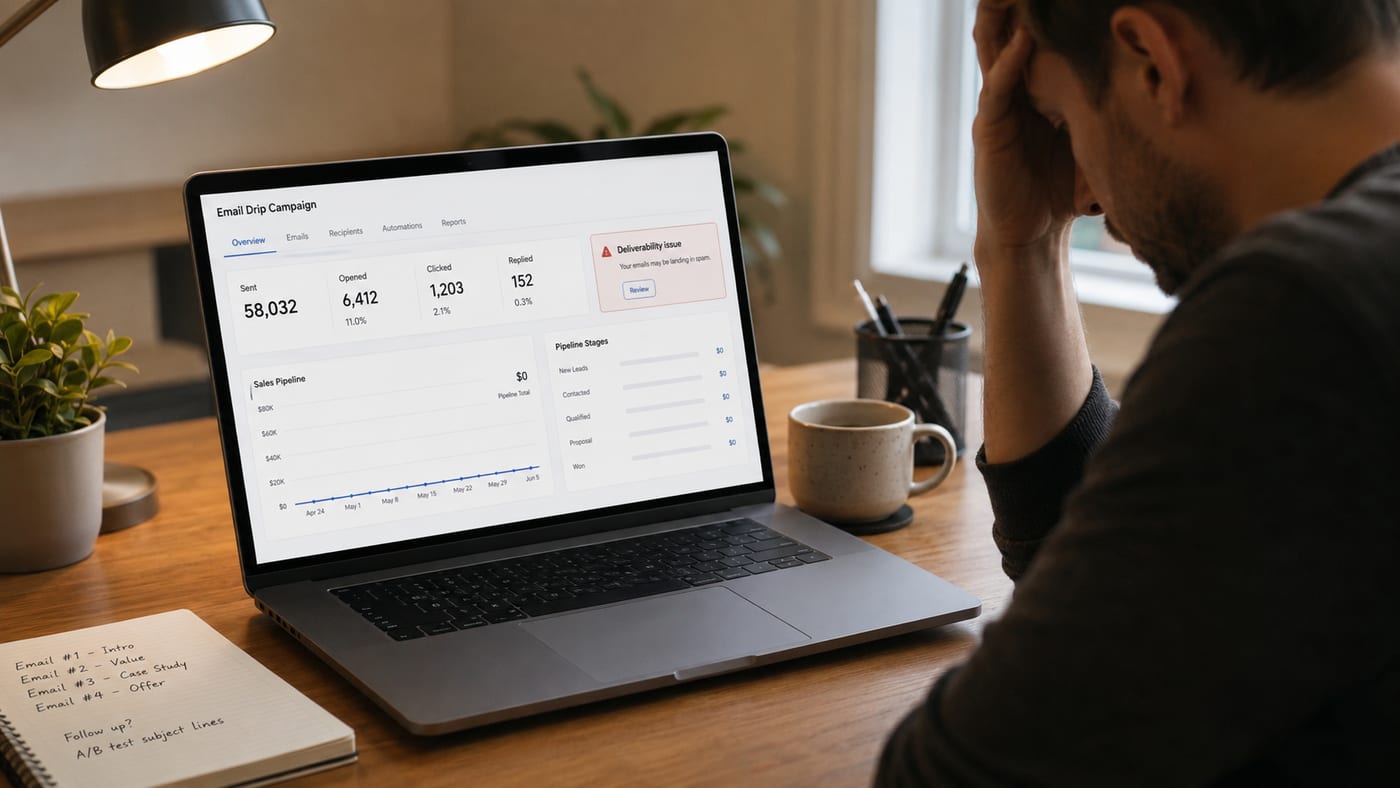
If you need a spam fix email situation resolved and you need it resolved before Q2 ends, you are not alone. Thousands of small business owners set up email drip sequences, watch the "sent" numbers climb, and then wonder why the pipeline looks like a desert in August.
The problem is rarely the offer. It is almost never the product. It is the setup, the sequence logic, and the technical infrastructure underneath your campaigns that is quietly strangling your conversion rates.
Let's go through the actual mistakes. Not the theoretical ones you read in generic marketing listicles. The real ones that show up in accounts every single week, costing real revenue.
Mistake 1: Skipping Email Warming and Then Wondering Why Open Rates Are at 4%
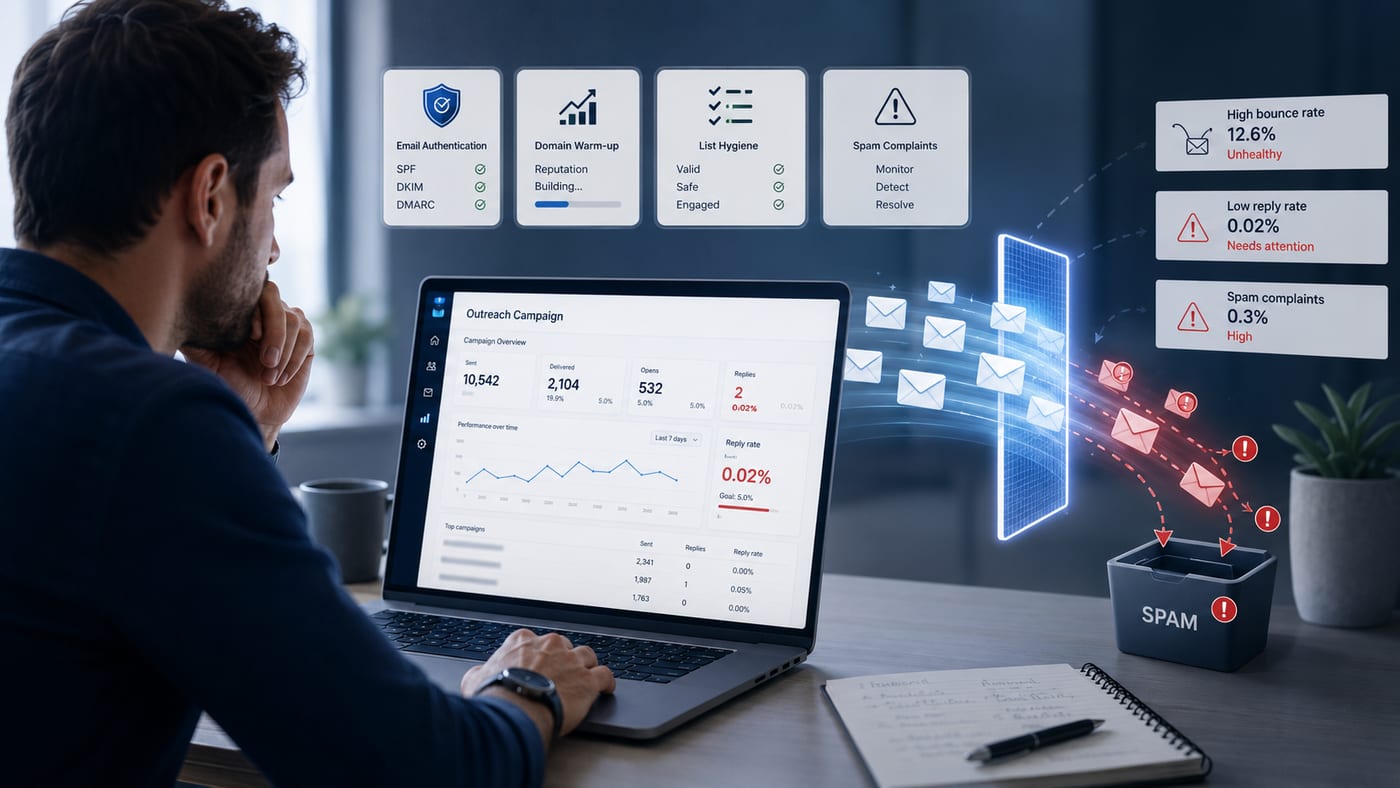
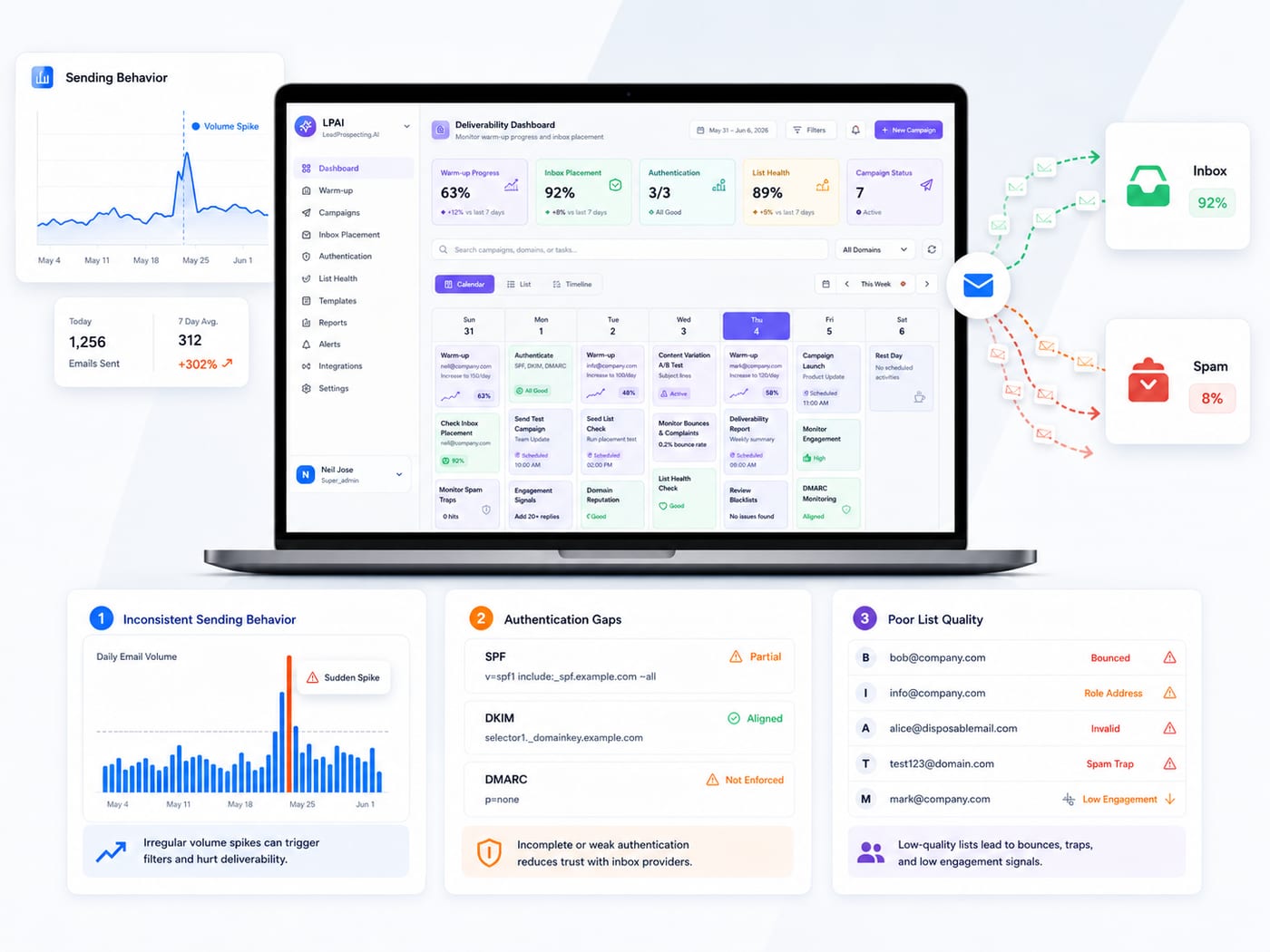
New domain. Fresh list. You fire off 2,000 emails in the first 48 hours. Inbox providers see a spike from an unestablished sender and route your messages straight to spam. Your open rate tanks. Your domain reputation takes a hit. And now every future campaign you send from that domain carries a penalty you may not even be able to measure.
This is not a fringe scenario. It is the default outcome for anyone who skips the warming step. Email warming is the process of gradually increasing send volume from a new or dormant domain so inbox providers learn to trust you before you scale. Done correctly, you can achieve 98 percent or higher inbox placement rates consistently.
According to Sender's email marketing benchmarks, automated emails triggered by specific user actions can generate 320 percent more revenue than standard broadcast campaigns. But none of that matters if the emails never reach the inbox in the first place.
LeadProspecting AI's Email Warming service handles this automatically, building your domain reputation before you ever send a campaign at scale. You can see exactly how it works on the Features page.
The Spam Fix Email Problem Nobody Talks About: Your Sending Behavior
Most people think spam filters are triggered by bad words in subject lines. "Free." "Act now." "Limited time." That was 2008. Modern spam filters are behavioral. They look at engagement rates, bounce history, unsubscribe velocity, and sender reputation built up over months.
If your email drip sequence sends to a cold list with no prior warm-up, sends too frequently without any segmentation, or pulls from a list with more than two percent invalid addresses, you will trigger filters regardless of how clean your copywriting is.
A proper spam fix email strategy involves three layers working together: technical authentication (SPF, DKIM, DMARC records properly configured), list hygiene before every major send, and behavioral segmentation that separates active openers from cold contacts. Treat those segments the same way and you punish your deliverability across the board.
If you have already felt this pain, the post on Your Email Deliverability Is Costing You Revenue breaks down exactly what the warning signs look like and what to do next.
Mistake 2: Running One Generic Drip Sequence for Every Lead
Here is where most small business owners lose the most money without realizing it. They build one email drip sequence and push every lead through the same five-step funnel regardless of where that lead came from, what they expressed interest in, or how warm they are.
The data on this is not subtle. According to PGM Solutions, subscriber segmentation (78 percent), message personalization (72 percent), and email automation (71 percent) are the top three most effective strategies in email marketing, and personalized emails are six times more likely to drive conversions.
Six times. That is not a marginal improvement. That is the difference between a drip campaign that pays for itself and one that just burns your list.
What smart segmentation actually looks like in practice:
- New inquiries from your website form go into an education-first sequence that builds trust over 7 to 10 days before any offer appears.
- Warm leads who opened previous emails but did not convert get a shorter, more direct sequence with social proof and a specific call to action.
- Cold leads scraped or purchased need a re-engagement sequence first, with a clear reason to stay subscribed before any pitch.
- Past customers belong in a retention or referral sequence, not the same funnel as brand-new prospects who have never heard of you.
- Abandoned quote or appointment leads need a recovery sequence triggered by inaction, not by a calendar date.
If your current email outreach platform does not let you segment at this level and automate different paths based on behavior, you are leaving serious money on the table. This is where purpose-built tools matter more than whatever free tier you are currently running on.
Mistake 3: No Trigger Logic, Just Timers
Time-based drip campaigns made sense when marketing automation was new. You set up day one, day three, day seven, and called it a sequence. The problem is that time-based logic ignores what the lead actually does.
If someone clicks your pricing link on day two, they should not receive your day-three "still considering us?" email as if nothing happened. That disconnect signals to the reader that you are not paying attention, and it signals to inbox providers that your emails are generic blasts rather than intentional communication.
Trigger-based logic says: if a contact opens email two but does not click, send a follow-up with a different angle. If they click but do not book, trigger an immediate text or calendar nudge. If they unsubscribe, remove them from all active sequences automatically and flag them in the CRM so no one calls them manually either.
This is covered in detail in the guide on Email Drip Campaigns for Service Businesses, which walks through exactly how to structure trigger logic for service-based businesses where the sales cycle is relationship-driven.
LeadProspecting AI's Automation Workflow Builder includes If/Else logic, behavioral triggers, and pre-built templates specifically designed for service businesses and professional services teams. It connects directly to the CRM pipeline so a contact who responds to an email automatically moves to the next stage without anyone touching it manually. You can explore the full setup at Small Business CRM Software.
Mistake 4: Treating Your Email Tool as a Standalone Channel
Here is the version of this mistake that is most common with growing businesses. They are running email through one platform, managing social through another, tracking leads in a spreadsheet or a basic CRM, and doing follow-up calls from someone's personal phone. Nothing talks to anything else.
When a lead falls through the cracks, nobody knows. When a drip sequence ends with no response, there is no automatic handoff to a different channel. When a review request or referral ask should go out after a closed deal, it requires someone to remember.
As of early 2024, Statista reports that email is the channel most reliant on marketing automation, with 58 percent of marketing professionals choosing it above content and social media management. That statistic matters because it reveals an assumption most owners have not acted on: email works best when it is automated and integrated, not when it is manually batched and siloed.
A small business marketing platform that connects your email sequences to your CRM pipeline, your SMS follow-up, your missed-call text-back, and your review requests creates a system where leads are never actually lost. They just move to the next appropriate touchpoint automatically.
Using a social media ai tool alongside your email system also gives you a consistent presence across channels so that leads who ignore email still see your content and stay in your orbit until they are ready to convert. Disconnected tools create disconnected experiences. Integrated systems create momentum.
The breakdown of how pipeline bottlenecks compound these problems is worth reading in full at Why Your CRM Pipeline Isn't Moving: 7 Bottlenecks Killing Your Sales Velocity.
What a Fixed Drip System Actually Looks Like
Let's put the pieces together. A drip campaign that actually converts in Q2 has the following in place before the first email is ever sent:
- Domain warming completed. Your sending domain has at least 30 days of gradual warm-up behind it. SPF, DKIM, and DMARC are all configured and verified. You are starting from a clean reputation baseline.
- List is segmented before import. Every contact is tagged by source, intent level, and relationship status. They are not all going into the same funnel.
- Sequences use behavioral triggers, not just timers. What a contact does (or does not do) determines what they receive next, not just how many days have passed.
- The drip connects to the broader CRM. Responses, clicks, and conversions update the pipeline automatically. No manual data entry required.
- Recovery sequences are in place. Missed calls trigger a text-back. Abandoned quotes trigger a follow-up. Closed deals trigger a review request. Nothing falls through without a net beneath it.
According to OptinMonster, for every $1 spent on email marketing, $36 is returned. But that ROI assumes your emails are actually being delivered, opened, and acted on by the right people. The mistakes above are why so many businesses see a fraction of that number and assume email just does not work for them.
It works. The setup just has to be right.
If you are ready to stop guessing and start building a system that runs without you babysitting it, explore the plans at LeadProspecting AI to find the tier that fits your current stage. Or if you want to talk through what your specific setup needs, reach out directly and we will tell you exactly what is broken and what to fix first.
Frequently Asked Questions About Email Drip Campaign Mistakes
Q: What is the fastest spam fix email approach for a campaign that is already underway?
Pause your sends immediately and audit your bounce rate and spam complaint rate first. If bounces are above two percent or complaints are above 0.1 percent, you need to clean the list before resuming. Then verify your SPF, DKIM, and DMARC records are correctly configured. Do not resume at full volume. Ramp back up gradually over 7 to 10 days.
Q: How many emails should be in a standard drip sequence for a service business?
For cold or warm leads, five to seven emails over two to three weeks is a solid baseline. The first email should deliver immediate value, not a pitch. The pitch belongs in email three or four after you have established credibility. Always include a clear exit option and stop the sequence the moment someone books or converts.
Q: Does email warming apply if I already have an established domain?
Yes, if your domain has been dormant, has a history of high bounce rates, or you are switching to a new sending platform. Any time inbox providers see a significant change in your sending behavior, warming your domain back up before scaling protects your reputation. Even established domains benefit from a gradual ramp when adding new sending volume.
Q: What is the difference between a time-based and a trigger-based email drip?
A time-based drip sends emails on a fixed schedule regardless of what the contact does. A trigger-based drip sends emails based on specific actions or inactions, such as opening an email, clicking a link, or not responding after a set window. Trigger-based sequences consistently outperform time-based ones because they respond to real behavior instead of an arbitrary calendar.
Q: Can I use one platform for email drips, CRM, and lead tracking?
Yes, and you should. Separating these functions across multiple tools creates data gaps, missed follow-ups, and blind spots in your pipeline. An integrated platform connects every touchpoint so that email engagement updates the CRM, triggers the next action, and gives you a single view of every lead's journey from first contact to closed deal.