TL;DR:
Cold email still works in 2026, but only if your emails actually reach the inbox. The real game is domain reputation, not copy. This post walks through the technical foundation Google now requires, why you should never send cold outreach from your main business domain, how to warm up properly, and what the research from Backlinko and Woodpecker actually says about follow-ups and personalization.
It's Tuesday morning in Twin Falls. A local contractor just spent the weekend building a list of 200 property management companies across the Magic Valley and Boise. He's pitching commercial maintenance contracts, the kind of steady, recurring work that could stabilize his whole business. He writes a solid email, pastes the list into his main Gmail account, and hits send.
By Thursday, his invoices to existing customers are landing in spam folders. His password reset emails are bouncing. His Google Business Profile notifications are disappearing. One aggressive Monday send just damaged the reputation of the domain his entire business runs on. And the property managers? Most of them never saw the email. It landed in promotions or spam before any human eye touched it.
This is the part of cold email nobody talks about. The copy is the easy part. The infrastructure is what determines whether your emails reach a human or disappear into the void.
Why domain reputation is the real bottleneck
Every time you send an email, providers like Gmail, Outlook, and Yahoo score your sending domain. That score determines whether future emails land in the inbox, the promotions tab, or the spam folder. For Gmail specifically, you can see your domain reputation in Google Postmaster Tools, which Google publishes to verified domain owners for free.
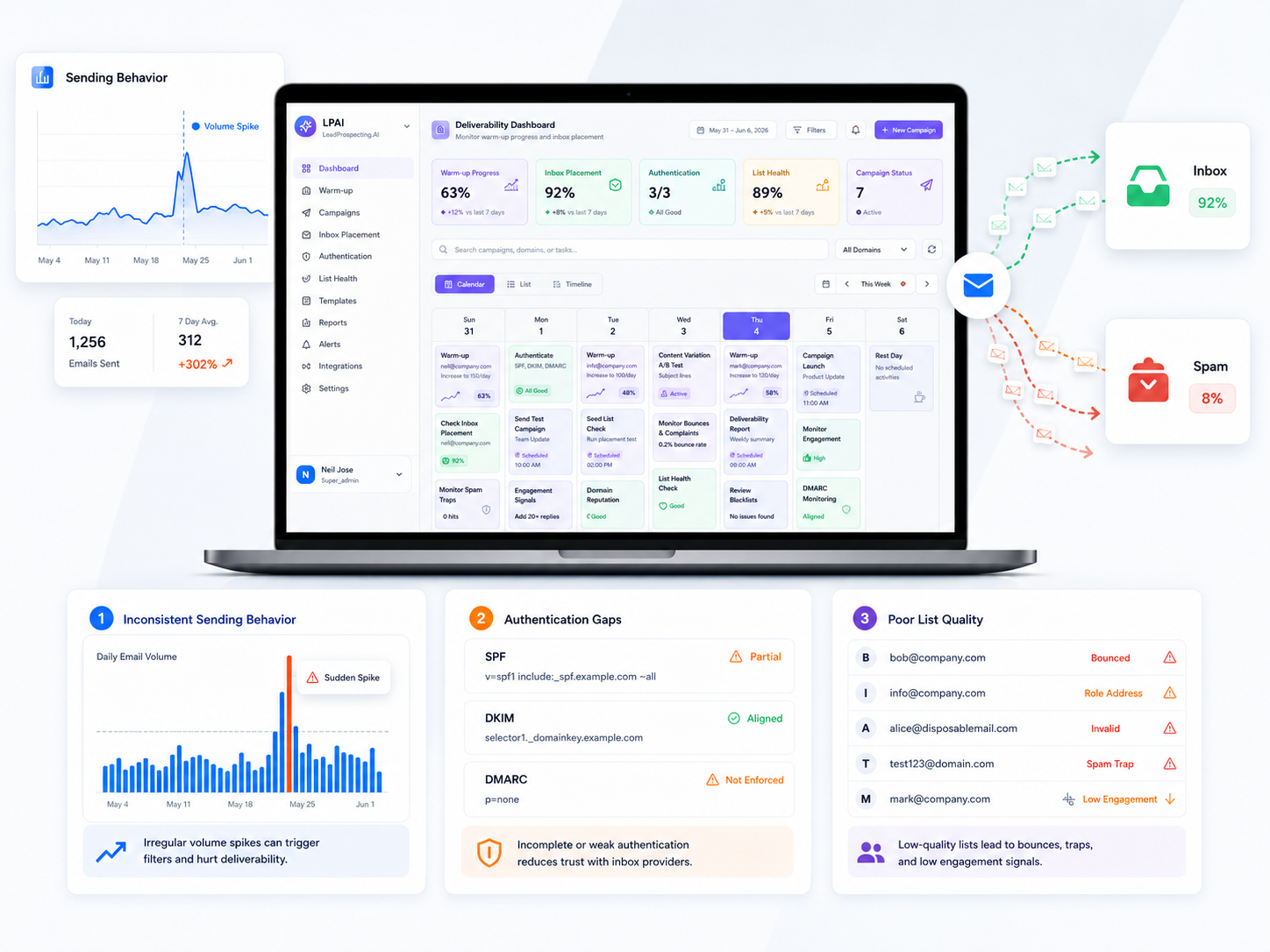
Cold email campaigns damage that reputation fast. High bounce rates from bad list data, sudden volume spikes, spam complaints from annoyed recipients, and generic templates all tank your score. Send from your main business domain and you contaminate it. Send from a fresh cold email domain with no history and you trigger spam filters the moment you push volume.
The fix is a three part technical foundation that every serious sender has in place before the first email goes out.
The three pillar foundation
Authentication (SPF, DKIM, DMARC)
These three protocols tell email providers you're a legitimate sender and not someone spoofing your domain. They're no longer optional. Google's published sender guidelines require SPF and DKIM for anyone sending to Gmail, and require DMARC for anyone sending more than 5,000 messages per day. As of November 2025, Gmail actively rejects non compliant mail rather than just filtering it to spam. Microsoft began enforcing similar rules in May 2025.
SPF tells receiving servers which IP addresses are authorized to send on behalf of your domain. DKIM adds a cryptographic signature proving the email wasn't tampered with in transit. DMARC ties them together and tells receivers what to do if either check fails. Set all three up before you send a single cold email.
Warm-up
A brand new sending domain with zero history looks identical to spam operations that register a domain, blast 10,000 emails, and disappear. Email providers treat both the same way: skeptically. The way around this is to start slow and gradually build a track record of normal, human looking activity.
Start with 5 to 10 emails per day in week one. Add 5 to 10 more each week after that. By week 4 or 5, you can safely send 40 to 50 per day. By week 6 or 7, you're at full volume. Most serious cold email platforms include automated warm-up tools that simulate inbox conversations with other warmed accounts to accelerate this process without manual effort.
Volume control
Erratic sending patterns destroy deliverability. Sending 500 emails Monday, nothing Tuesday through Thursday, then 1,000 Friday looks suspicious to every major provider. The fix is predictable, consistent volume. Cap your daily send at 80 to 100 emails per inbox after warm-up, and keep the pattern steady throughout the week.
Never send cold email from your primary domain
This rule is non negotiable. Every serious cold email operator runs outbound from a separate sending domain, not the main one that handles invoices, client communications, and password resets. If your outbound domain gets flagged, your main domain stays clean and your business keeps running.
The setup is simple. Register a domain similar to your main one. If your main domain is yourcompany.com, register yourcompanyhq.com or get-yourcompany.com. Set up forwarding so replies route back to your main inbox. Authenticate the new domain with SPF, DKIM, and DMARC. Warm it up. Now you have a dedicated sending domain that absorbs the reputation risk of cold outreach without touching your primary business communications.
If you need to scale beyond 100 emails per day, register a second domain and warm it in parallel.
The follow-up multiplier
Most people send one email and move on. They're leaving most of their potential replies on the table.
Backlinko's analysis of 12 million outreach emails found that the average cold email gets a response just 8.5% of the time, but a single additional follow-up boosts replies by 65.8%. Sequences with three or more messages perform best overall. The math is stark: if you stop at one touch, you're capturing a fraction of the responses you could get from the same list with the same copy.
The trick is timing and value. Don't send the same pitch twice. Each follow-up needs to add something new: a different angle, a piece of social proof, a relevant case study, or a new question. Research from Gong on sales language found that guilt tripping phrases like "I never heard back" or "Just checking in" actively reduce meeting booking rates. Frame every follow-up as a continuation of the conversation, not a reminder that someone failed to respond.
Most top performers run 4 to 7 touches spread across 2 to 4 weeks, with each message adding new context rather than repeating the ask.
Personalization and list quality beat copy
You probably think your cold email underperforms because the copy isn't sharp enough. It probably underperforms because of the list or the personalization.
Woodpecker's analysis of 26,000 cold email campaigns found that highly personalized emails, meaning personalized subject lines plus custom snippets in the body, can boost reply rates by up to 142% compared to generic templates. Their data also showed that smaller, more targeted campaigns consistently outperform larger blasts. The fewer prospects per campaign, the higher the reply rate.
List quality matters just as much. Verified lists consistently outperform unverified ones because they protect your bounce rate and sender reputation. Purchased lists are the worst offenders. They're padded with invalid addresses, disengaged contacts, and people who never opted into anything, and one bad campaign from a purchased list can damage your sending reputation for months. Verify every email address before you send, segment by company size and industry, and target specific people at specific companies.
Monitor weekly, not annually
Domain health is an ongoing commitment, not a one time setup. Check these metrics weekly:
Bounce rate. Keep it under 2% as an absolute ceiling and aim for under 1%. High bounce rates destroy sender reputation in days, not weeks.
Spam complaint rate. Google's official threshold is 0.3%, but they recommend keeping it below 0.1% for healthy deliverability. Track this for Gmail specifically in Google Postmaster Tools, which is free for any domain owner. As of late 2025, Gmail starts rejecting mail outright when complaint rates cross 0.3%.
Reply rate. Recent benchmark reports from Backlinko, Instantly, and Belkins put average cold email reply rates between 3% and 8.5% depending on list quality and methodology. Top performers with dedicated domains, warmed inboxes, and tight personalization hit 10% or higher. Benchmark against your own trend, not the industry average.
Inbox placement rate. Roughly 1 in 6 legitimate emails never reach the inbox due to spam filtering. Run regular inbox placement tests to catch deliverability issues before they silently kill a campaign.
If any metric goes sideways, pause the campaign and audit the list before you resume.
Bring it together
Cold email lives or dies by execution. You need a system that handles authentication, warm-up, list verification, sequencing, and monitoring so you can focus on the message and the reply.
LeadProspecting AI bundles CRM, verified contact data, email warm-up, follow-up automation, and engagement tracking into one platform. Domain setup, DKIM and SPF configuration, sending volume limits, and inbox rotation happen in the background. Your job is writing the message and responding when prospects reply.
Your cold email playbook in action
Week 1. Register a cold email domain similar to your main brand. Set up SPF, DKIM, and DMARC. Configure forwarding so replies route to your main inbox.
Weeks 1 to 4. Enable automated warm-up. Start at 5 to 10 emails per day and build reputation gradually. Don't send real cold email yet.
Week 5. Build a verified list of 50 to 100 highly targeted prospects. Send 20 to 30 personalized emails per day from your warmed domain. Monitor bounce rates and spam complaints daily.
Weeks 5 to 6. Send follow-ups to anyone who didn't reply, with new value in each message. Most replies come now, not from the first touch.
Ongoing. Track reply rates. Test subject lines and openers. Gradually increase volume as your reputation strengthens. Register a second domain if you need to scale beyond 80 to 100 emails per day.
Done right, cold email generates consistent pipeline at a fraction of the cost of paid ads. Done wrong, one aggressive campaign can knock your invoices and client emails into spam for weeks. The difference is infrastructure, not luck.
If you want a system that handles the technical side so you can focus on the message, LeadProspecting AI offers a free trial with no credit card required.
Frequently asked questions
What's the actual difference between SPF, DKIM, and DMARC? SPF tells receiving servers which IP addresses are allowed to send from your domain. DKIM adds a cryptographic signature proving the email wasn't tampered with in transit. DMARC ties them together and tells the receiver what to do if either check fails. All three together are what Google and Microsoft now require for anyone sending in volume.
How long does warming a cold email domain actually take? Plan for 4 to 6 weeks before you're sending at full volume. Most domains reach usable deliverability around week 3 if you're consistent, and peak reputation keeps building through weeks 6 to 8. Skipping this step is the fastest way to burn a new domain in a single campaign.
Can I recover a domain that's already been burned? Sometimes, but it's slow. Stop sending from it immediately, drive bounce rates to near zero, and rebuild reputation over 8 to 12 weeks without any cold outreach. Most operators find it faster and cheaper to register a new cold email domain for about $12 a year than to rehab a damaged one.
What's a realistic reply rate for cold email in 2026? Benchmark reports from Backlinko, Instantly, and Belkins put the average between 3% and 8.5%, depending on list quality and methodology. Anything above 5% means your infrastructure is solid. Above 10% means you've also nailed targeting and personalization. Below 3% usually points to deliverability problems, not copy problems.
Do I need a separate cold email domain even if I only send a few dozen emails a day? Yes, regardless of volume. The rule isn't about volume, it's about risk isolation. Even one bad campaign can damage a domain's reputation, and if that's your main business domain, you've just put your invoices, client communications, and password resets in spam. A separate cold email domain costs $12 a year. The protection is worth it at any send volume.