Your Budget Is About to Shrink. Your Workload Won't.
If you rely on marketing automation for your small business to do the heavy lifting, Q3 is your moment to prove it. Budget reviews are coming, and every tool that can't show ROI is getting cut. The question is whether your automation stack is working hard enough to survive that conversation.
According to the Formstack Workflow Automation Statistics report, 51% of workers spend at least two hours every day on tasks that could be automated right now. That is not a productivity problem. It is a systems problem. And if you are heading into a tighter budget cycle doing things manually, you are spending money to lose money.
The five workflows below are not theoretical. They are the automations that consistently show up in audits of businesses that are growing despite budget pressure, and the ones that most small business owners have not fully built yet.

Workflow 1: Missed-Call Text-Back Recovery
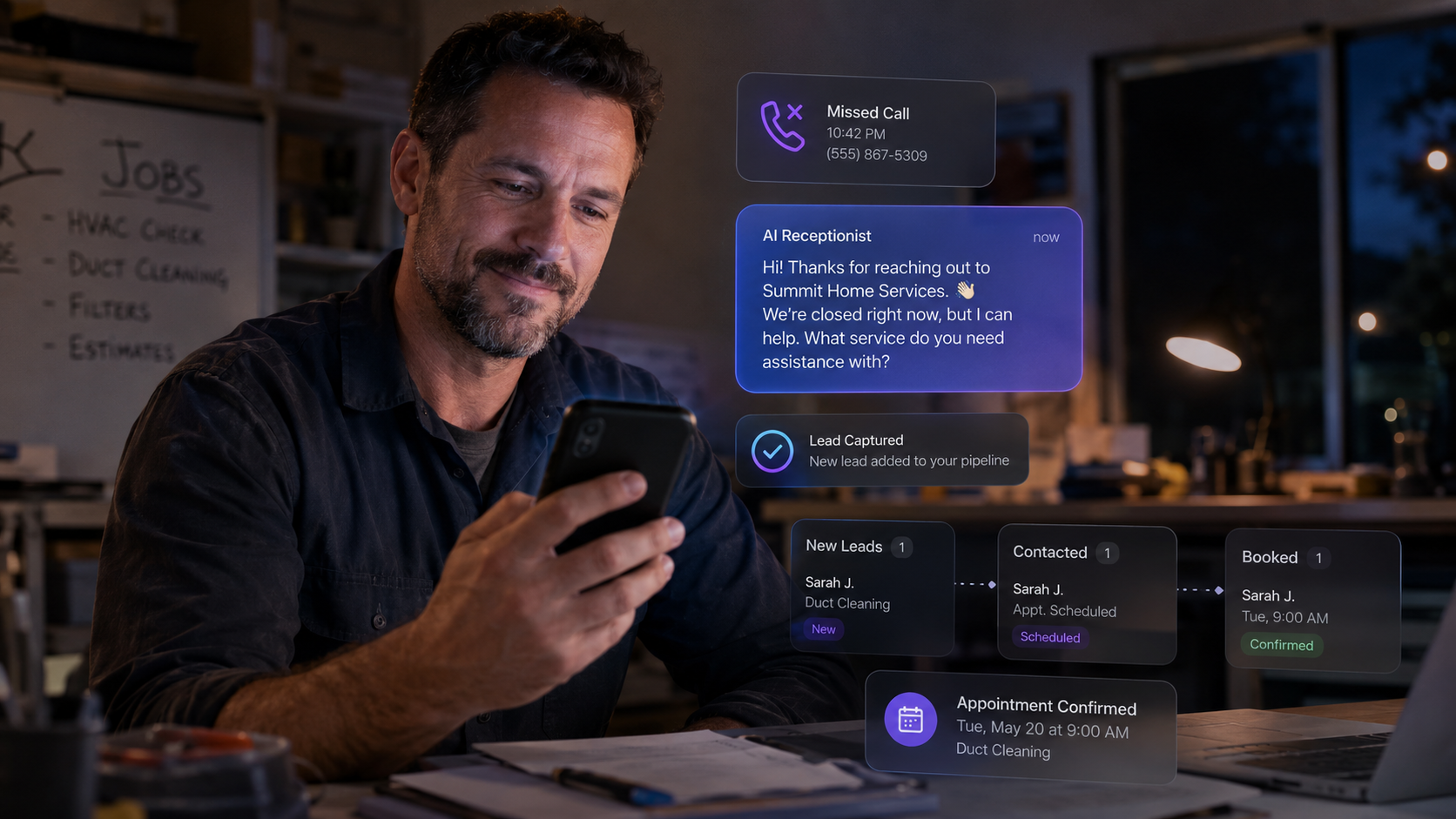
Every missed call is a lead that already found you, already dialed your number, and then got sent to voicemail. Most of them will not call back. A virtual receptionist AI setup that fires an automatic text message within 60 seconds of a missed call changes that outcome entirely.
The text is simple: "Hey, sorry we missed you! This is [Business Name]. What can we help you with today?" That one message re-engages the lead inside a channel they are already staring at. You get responses. You book jobs. You recover revenue that was walking out the door.
This is not a luxury feature. For any home service business, medical office, or local service provider, this single workflow can recover 20 to 40 percent of leads that would otherwise go cold. LeadProspecting AI's automation features include missed-call text-back as a native, ready-to-deploy workflow so you are not stitching together Zapier hacks to make it work.
Marketing Automation Small Business Owners Ignore: The Lead Nurture Drip
Most small businesses have a form on their website. Someone fills it out, gets a "thanks, we'll be in touch" email, and then nothing. That lead sits in a spreadsheet or an inbox and goes cold inside 48 hours. According to the SBE Council's 2026 Digital State of Small Business report, businesses using AI-driven automation save a median of 11.5 employee hours per week, totaling $243.6 billion in savings annually across small businesses. That time compounds when nurture is automated instead of forgotten.
A proper lead nurture drip runs for 7 to 21 days and does three things: builds trust, answers objections, and creates a reason to act now. The sequence can be four to six emails spaced across two to three weeks, each with a single call to action. The emails do not need to be long. They need to be relevant.
The engine behind this is your email deliverability. If your domain is not warmed and your sending reputation is weak, those nurture emails are landing in spam before anyone reads them. Check out this breakdown on Email Warmup vs. Deliverability: A 2026 Small Business Guide before you build a drip sequence nobody sees. LeadProspecting AI includes an email deliverability service with domain warming built in, so your campaigns actually hit inboxes at 98% or higher placement rates.
Workflow 2: Automated Review and Referral Requests
Businesses that consistently collect Google reviews outrank competitors who do not, and they close more deals because social proof reduces buyer hesitation. The problem is that asking for reviews manually is awkward and easy to forget. Most businesses ask once in a hundred interactions when they should be asking after every single completed job or appointment.
The workflow is straightforward. When a job is marked complete or a payment is logged, a trigger fires a text or email to the customer asking them to leave a review. The message includes a direct link to your Google profile. Two days later, if they have not left a review, a polite follow-up goes out. That is it. No manual effort, no chasing, no forgetting.
The same trigger can include a referral ask. "If you know anyone who could use what we do, here is your referral link." One workflow, two revenue-generating outcomes. This is one of the CRM features home service businesses ignore most often, and the cost of not running it shows up in stagnant review counts and zero referral revenue.
Workflow 3: Quote Follow-Up and Appointment Reminders
Sent a quote last Tuesday and heard nothing back? Manually following up on quotes is one of the highest-value activities a sales person can do, and it is also the one most likely to fall through the cracks when things get busy. Automating quote follow-up does not mean removing the human touch. It means making sure the follow-up actually happens.
Set a trigger: when a quote is sent and no response is received within 48 hours, fire a follow-up message. That message can be a simple check-in or it can include a limited-time incentive. Either way, it is happening consistently instead of depending on memory. According to Kissflow's 2026 Business Process Automation research, 60% of organizations achieve full ROI within 12 months of implementing business process automation. A quote follow-up workflow alone often justifies that investment in the first quarter it runs.
Pair this with appointment reminder automations. A text 24 hours before and another two hours before an appointment drops no-show rates by 30 to 50 percent in most service businesses. That means fewer wasted slots, less scrambling to fill last-minute openings, and a more professional client experience with zero additional staff time required.

Workflow 4: Post-Purchase Upsell and Reactivation Sequences
Your existing customers are the cheapest leads you will ever get. They already trust you. They already paid you. Getting them to buy again costs a fraction of what it costs to acquire a new customer, yet most small businesses have no systematic way to go back to that list. This is where a reactivation sequence pays for itself fast.
The workflow works like this: 30, 60, and 90 days after a purchase or completed service, a message goes out with a relevant offer, a seasonal reminder, or a helpful tip that naturally leads to a next step. For a dental office, it is a cleaning reminder. For an HVAC contractor, it is a filter change or pre-season tune-up offer. For a consultant, it is a quarterly check-in with a new service pitch.
If you are currently using a Keap alternative or evaluating platforms because your current CRM cannot run multi-step If/Else logic on post-purchase behavior, this is the workflow that makes the comparison obvious. Check out HubSpot vs. Salesforce vs. LeadProspecting AI: Which CRM Actually Fits a Small Business? to see how the logic-building capabilities stack up side by side.
The LeadProspecting AI CRM handles all of this inside a single platform, with drag-and-drop pipeline stages, trigger-based automation, and smart reminders that fire without anyone babysitting the system.
Workflow 5: New Lead Pipeline Routing and Instant Response
Speed to lead is not a cliche. It is math. A lead contacted within five minutes of filling out a form is nine times more likely to convert than one contacted after an hour. Most small businesses are not responding in five minutes because the lead hits an inbox, gets seen eventually, and goes into a mental to-do pile that moves slower than the competition.
The fix is instant routing with an automatic first-touch response. When a form is submitted, the lead gets an immediate text or email confirmation. Simultaneously, the contact is created in your CRM, tagged by lead source, and dropped into the correct pipeline stage. The right team member gets notified with all the context they need to make a personal follow-up call within minutes, not hours.
This workflow is where your website builder for small business choices start to matter. If your forms are embedded from third-party tools and disconnected from your CRM, the routing delay kills the speed advantage. LeadProspecting AI's smart forms connect directly to the pipeline so the whole sequence fires automatically the moment someone hits submit. To understand what a disconnected lead response process actually costs you, read The Real Cost of Generating a Lead Online: 2026 Benchmarks Every Small Business Needs. The numbers will make you want to fix this today.
McKinsey's 2025 State of AI report found that 88% of organizations now use AI regularly in at least one business function, and that approximately one hour of daily activities across most roles already has technical automation potential. For small businesses, that hour is usually sitting in manual lead response, follow-up, and administrative routing that a workflow can replace entirely.
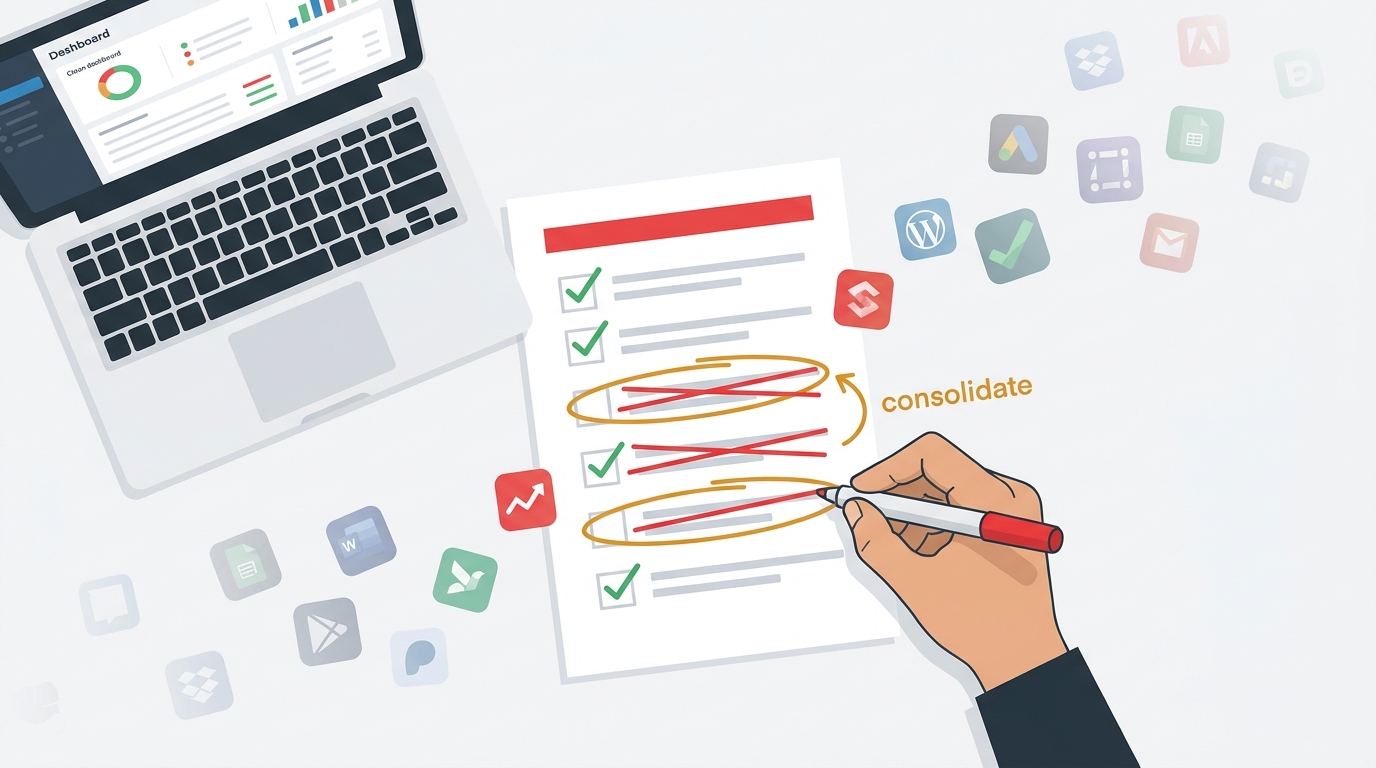
Before Q3 reviews hit, run a fast audit on your current stack. If you want a structured way to do it, start with The 5-Question Martech Audit That Cuts Your Software Costs. You will likely find tools you are paying for that overlap with what LeadProspecting AI consolidates into one platform. See the full breakdown at LeadProspecting AI's pricing page and compare what you are currently spending across separate tools.
Build These Workflows Before the Budget Conversation Starts
Here is a quick summary of what these five workflows do for your business when they are all running:
- Missed-call text-back: Recovers 20 to 40% of leads that would go cold from unanswered calls
- Lead nurture drip: Keeps prospects warm automatically for 7 to 21 days without manual effort
- Review and referral requests: Builds Google rankings and generates word-of-mouth without awkward asks
- Quote follow-up and appointment reminders: Closes more deals and cuts no-shows by 30 to 50%
- Instant lead routing and response: Increases conversion probability by up to 9x with speed-to-lead logic
None of these require a dedicated marketing team. None require expensive consultants. They require a platform built to run them without you manually triggering every step. The full suite of services at LeadProspecting AI is built exactly for this: giving small business owners the same automation infrastructure that enterprise companies run, at a price point that makes sense before and after a budget cut.
If you are sitting on any of these workflows half-built or not started at all, Q3 is the deadline that makes now the right time. Get them running, track the results, and walk into that budget review with data instead of guesses. Talk to the team at LeadProspecting AI and get your automation stack dialed in before the quarter turns.
Frequently Asked Questions About Marketing Automation for Small Business
Q: How much does marketing automation actually save a small business?
According to Formstack's workflow automation research, companies save an average of $46,000 per year through workflow automation, with some saving significantly more. The SBE Council's 2026 survey found small businesses save a median of 11.5 employee hours per week using AI and automation tools. The savings come from reduced manual labor, faster lead response, and higher close rates, not from one big efficiency win but from dozens of small ones compounding over time.
Q: Do I need technical skills to build these workflows?
Not on a platform designed for small business operators. LeadProspecting AI's workflow builder uses visual drag-and-drop logic with pre-built templates, If/Else branching, and trigger-based automations that do not require coding or a dedicated IT resource. Most of the five workflows above can be configured and live within a single afternoon.
Q: What is the difference between a CRM automation and a marketing automation?
In practice, the line is thin and getting thinner. CRM automation handles sales-side tasks like pipeline movement, quote tracking, and follow-up reminders. Marketing automation covers lead nurturing, email sequences, and campaign triggers. The best platforms for small businesses handle both in one system so data does not get siloed between tools. LeadProspecting AI was built to cover both without requiring two separate subscriptions.
Q: Is automation worth it if I only have a small team or work solo?
It is especially worth it in that case. Solo operators and small teams are the businesses most harmed by manual processes because every hour spent on repetitive tasks is an hour not spent on billable work or growth. The five workflows above are designed to run without ongoing management once they are configured, which means a one-person business can operate with the follow-up consistency of a team of five.
Q: How do I know which automation to build first?
Start with the one that addresses your biggest current leak. If you are losing leads at the first-contact stage, build the instant routing and missed-call text-back first. If you have lots of quotes sitting open without responses, start with quote follow-up. If your review count has been flat for months, launch the review request workflow. Pick the single highest-cost problem and fix it before you build the next one.