Most Leads Don't Buy on the First Email. Here's What to Do About It.
If you've been running any kind of follow-up email sequence, you already know the first message rarely closes the deal. What you might not know is that 55% of replies to cold email campaigns come from follow-up emails, not the initial outreach. That stat alone should reshape how you think about your entire nurture strategy.
And yet, most small business owners either send one email and give up, or they blast a generic drip sequence that reads like it was written by a chatbot in 2015. Neither approach works. What does work is a structured, automated follow-up system built around real buying behavior, with the right triggers, the right timing, and the right message at each stage.
This post walks you through an actual email sequence template you can use today, plus how to wire it into a workflow builder so it runs without you touching it again.
Why Automated Sequences Outperform Manual Outreach Every Time
Here's the number that should stop you mid-scroll: automated emails drove 37% of all email-generated sales in 2024, despite representing just 2% of total email volume. Two percent of the sends. Thirty-seven percent of the revenue. That is not a coincidence. That is the compounding power of sending the right message to the right person at exactly the right moment.
Manual outreach breaks down because humans are inconsistent. You get busy, you forget to follow up, or you send a follow-up three weeks late when the prospect has already hired someone else. Automation removes that gap entirely.
The other piece is speed. Leads contacted within 5 minutes are 21 times more likely to convert than those contacted after 30 minutes. If someone fills out a form on your site and your first response arrives the next morning, you have already lost most of the opportunity. An automated sequence triggered the moment a form is submitted changes that math completely.
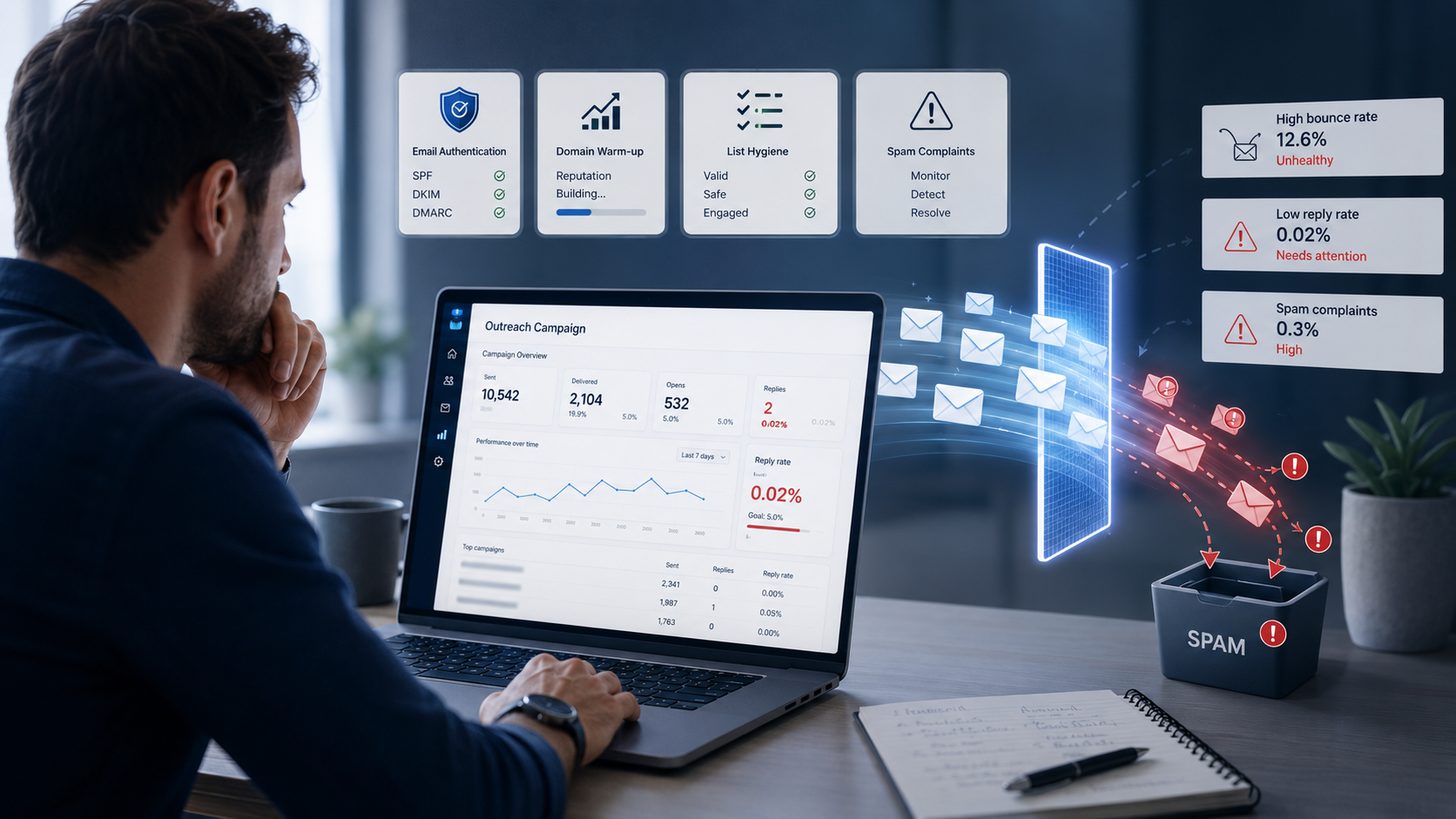
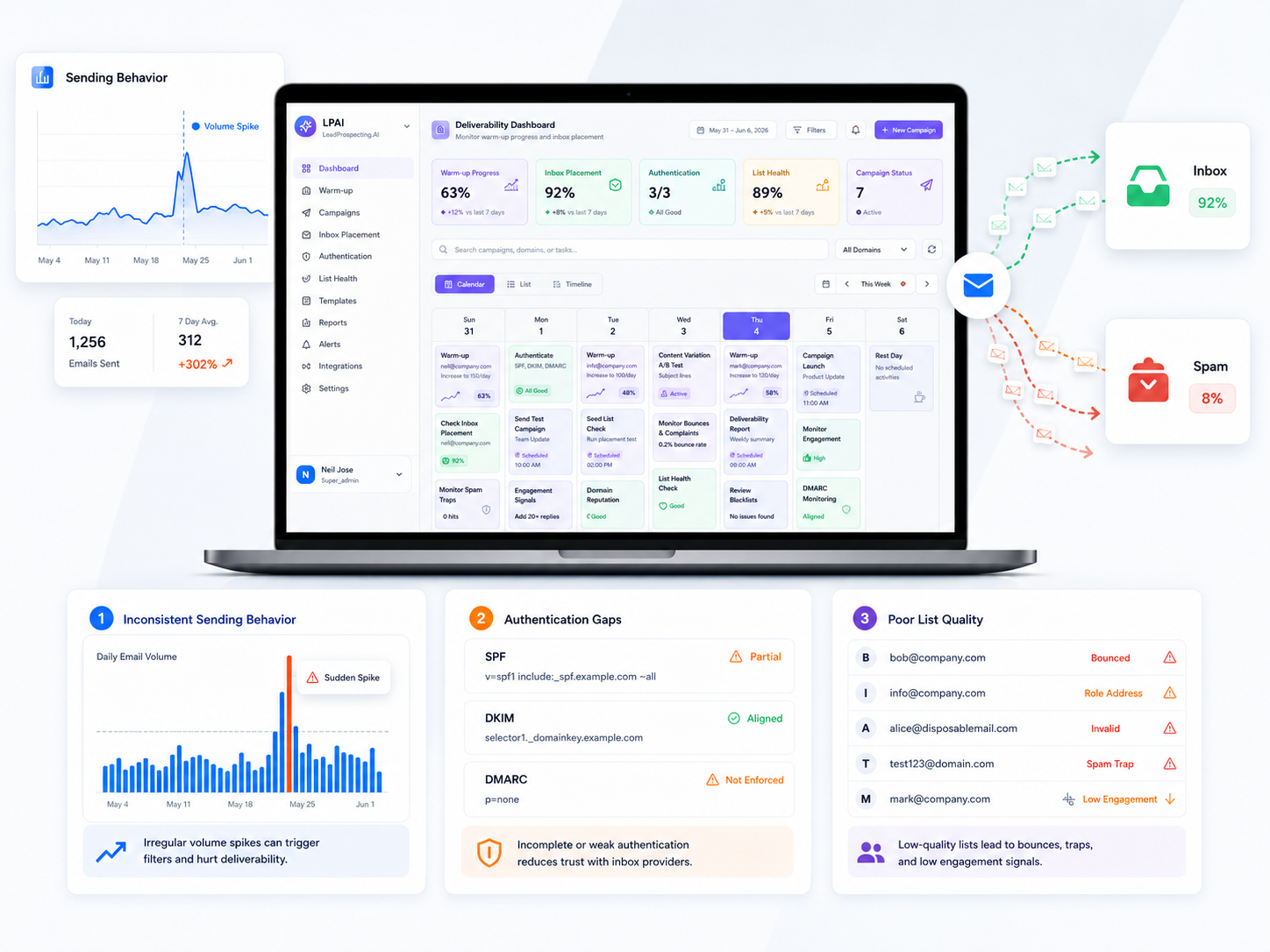
If you are just getting started with understanding how inbox placement affects whether any of this even works, read this first: Delivered vs. Inbox: The Email Metric That Is Lying to You. Your sequence is only as good as the number of people who actually see it.
The 5-Email Follow-Up Sequence Template (Copy and Adapt This)
This sequence is built for businesses that generate leads through forms, quote requests, discovery calls, or any kind of inbound inquiry. It works equally well whether you are running a home services company, a consulting firm, or a health and wellness practice. Adjust the tone and specifics, but keep the structure.
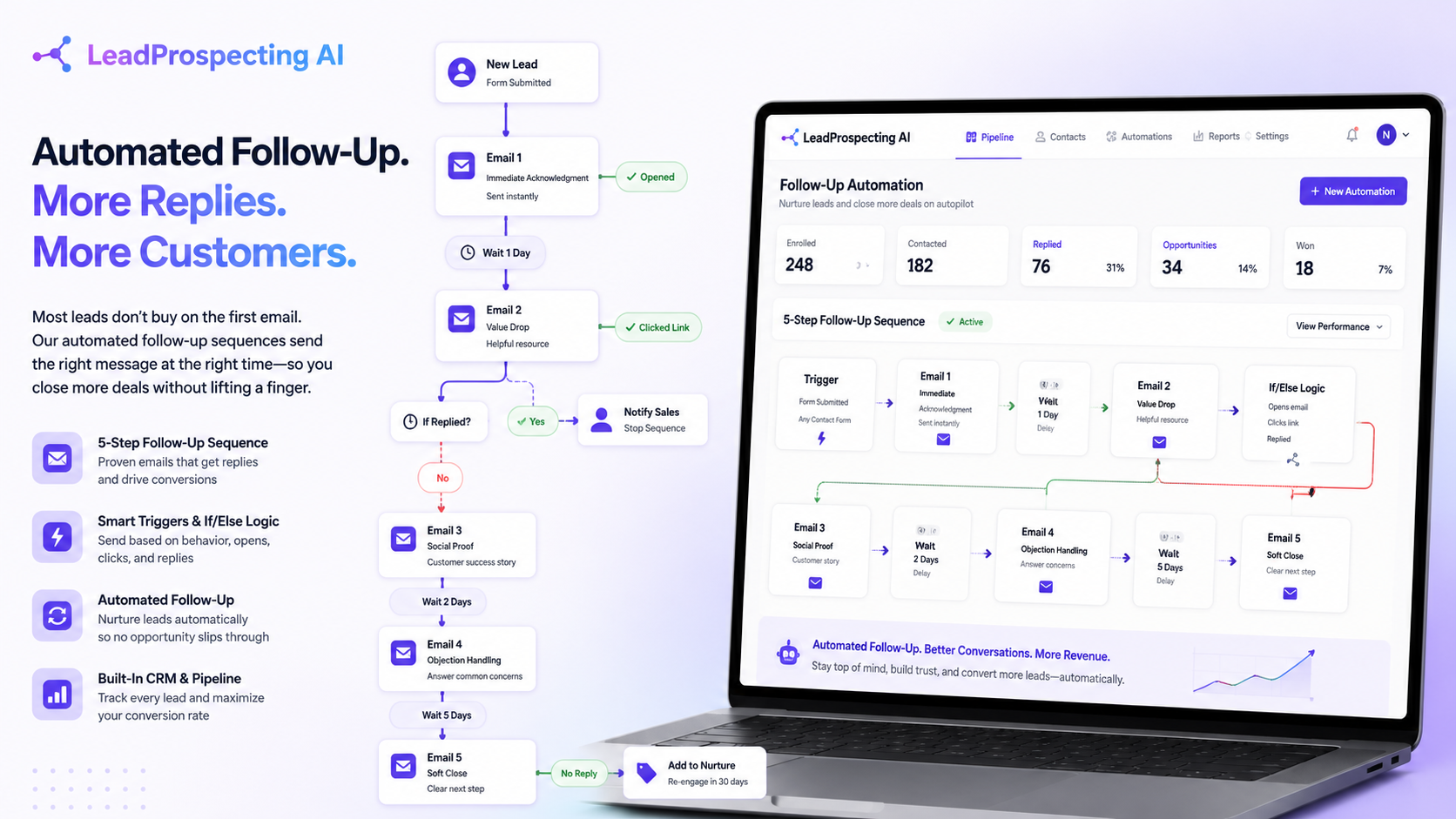
- Email 1: Immediate Acknowledgment (Send within 5 minutes of form submission). Confirm you received their inquiry. Set a clear expectation for next steps. Keep it under 100 words. Include one link, whether that is a booking page, a quick video, or your portfolio. This email is not about selling. It is about showing up fast and looking professional.
- Email 2: Value Drop (Day 2, 24 hours later). Send something genuinely useful: a short checklist, a before-and-after case study, a common mistake your industry makes. This builds trust without asking for anything. Subject lines that start with "Quick tip for [their situation]" consistently outperform generic openers.
- Email 3: Social Proof (Day 4). Share a specific customer result. Not "our clients love us." Something like: "We helped a roofing contractor in a mid-sized market increase their booked jobs by 40% in 90 days using this exact process." Specificity is what makes proof credible.
- Email 4: Objection Handling (Day 7). Address the most common reason people in your market do not move forward. Price? Timeline? Uncertainty about ROI? Write this email like you are answering a question a real prospect asked you last week, because you probably were. 70% of responses come from emails 2 through 4 in a sequence, so this is where your sequence either converts or dies.
- Email 5: Soft Close (Day 12). Give them a clear, low-friction next step. A free audit, a 15-minute call, a quote, a demo. Not a hard sell. Just one door to walk through. If they do not respond, tag them for a re-engagement campaign 30 days out and move on.
One thing to flag: avoid the most common structural errors that silently tank your results. This breakdown of 5 Email Drip Mistakes That Are Quietly Killing Your Results covers the exact missteps that make sequences underperform even when the copy is solid.
How to Build This Inside a Workflow Automation Tool
Having the template is only half the work. The other half is setting it up so it actually fires automatically, without manual input on your end. Here is how to build this sequence inside a proper workflow builder with If/Else logic.
Step 1: Define your trigger. The sequence starts when a specific event occurs: a form submission, a tag applied to a contact, a pipeline stage change, or a quote request sent. In a solid small business CRM with pipeline tracking, you can trigger sequences directly from deal stage movement. Someone moves into "New Lead" and the sequence fires automatically.
Step 2: Set your delays and conditions. Use If/Else branches to pause or redirect the sequence based on behavior. If the contact replies to Email 2, stop the sequence and alert your sales rep. If they click the booking link in Email 1, skip to a confirmation sequence instead. If they open Email 3 but do not click, send a modified version of Email 4 that addresses hesitation more directly.
Step 3: Tag contacts at each stage. Tagging is what keeps your CRM pipeline management clean and your reporting accurate. Every contact moving through the sequence should receive a tag that reflects exactly where they are. This lets you filter your pipeline, run targeted re-engagement campaigns, and avoid the mess of duplicate outreach.
Step 4: Connect your quote builder. If your sequence is designed to convert inquiries into quotes, your workflow should push a pre-filled quote draft to your sales rep the moment a lead reaches a certain engagement threshold. With integrated quote builder software, you can build that bridge directly inside the platform rather than bouncing between five different tools.
The Features overview at LeadProspecting AI shows exactly how these workflow layers connect: triggers, templates, If/Else logic, pipeline stages, and quote generation all living in one place.
Filling Your Sequence With the Right Leads to Begin With
A perfectly built sequence sending to the wrong contacts is still a waste. The quality of your input list determines a huge portion of your results. This is where a b2b lead scraper becomes part of the strategy, not just a prospecting novelty.
When you pull verified contact data including business emails, social profiles, and location signals from platforms like Google Maps, you are not guessing whether you are reaching decision-makers. You are starting the sequence with contacts who already have a demonstrated local presence, a business need, and a verified communication channel. That changes your baseline conversion rate before you write a single subject line.
The ROI case is straightforward. Email marketing ROI typically ranges from 10:1 to 36:1, with top-performing programs exceeding 50:1. If you are sourcing better contacts and running a structured automated sequence, you are stacking two multipliers on top of each other.
For service businesses that want a full-picture view of how email automation and local SEO work together to compound results, this post on AI Email Marketing Meets Local SEO: Scale Without an Agency is worth twenty minutes of your time.
Connecting Follow-Up to Reviews, Referrals, and Retention
Your follow-up sequence should not end at the sale. The back half of a high-performing automated system is what happens after someone becomes a customer, and this is where most businesses leave serious revenue on the table.
Once a job is marked complete or a payment is received, trigger a post-service sequence. Day 1 after completion: a thank-you email with a summary of what was done. Day 3: an automated review request with a direct link to your Google profile. Day 14: a referral ask that makes it genuinely easy to send a friend. This loop is the foundation of a repeatable word-of-mouth engine.
Building an automated review system is one of the highest-leverage things a local service business can do. Automating that process means it happens consistently, with every customer, regardless of how busy your team is that week.
For businesses operating in competitive local markets, building out a full automated review and referral system through LeadProspecting AI takes what used to be a manual, inconsistent process and turns it into a repeatable growth engine. Every completed job feeds the review pipeline. Every review builds the domain authority that makes your future email sequences land in the inbox instead of the spam folder.
If you want a maintenance framework to keep all of this running cleanly month after month, bookmark Your Q2 Email Checklist: 7 Fixes That Take 15 Minutes Each. It covers the hygiene tasks that keep your sequences performing at the level you built them for.
Ready to see how this all fits together in a platform built specifically for small business owners? Check the pricing options at LeadProspecting AI and find the plan that matches where your business is right now. Or if you want to walk through your current setup and find the gaps, reach out directly and we will take a look together.
Frequently Asked Questions About Automated Email Sequences
Q: How many emails should be in a follow-up sequence?
For most small businesses, five to seven emails over a 14-day window is the right range. Research shows 70% of responses come from emails two through four, so do not give up after the first send. Beyond seven emails in a short window, you risk unsubscribes and spam complaints that hurt your domain reputation long-term.
Q: What is the best trigger to start an automated sequence?
The highest-converting trigger is a form submission or inbound inquiry, fired within five minutes of the action. Other strong triggers include quote requests, appointment bookings, and pipeline stage changes inside your CRM. The faster the response, the higher your conversion rate, which is why having the trigger automated rather than manual matters so much.
Q: What is the difference between a drip campaign and an automated follow-up sequence?
A drip campaign sends time-based emails on a fixed schedule regardless of behavior. An automated follow-up sequence uses If/Else logic to adjust based on what the contact actually does: opens, clicks, replies, or ignores. Sequences are behavior-responsive, which is why they convert at significantly higher rates than simple drip campaigns.
Q: Do I need separate software to build these workflows?
Not if you are using the right CRM. Platforms like LeadProspecting AI include a workflow builder with triggers, templates, and conditional logic built in alongside pipeline management, quote generation, and email marketing. Keeping everything in one system eliminates the sync errors, missed triggers, and data gaps that come from stitching together multiple tools.
Q: How do I know if my sequence is actually working?
Track four numbers: open rate, reply rate, click-through rate, and conversion rate at each stage. Top-performing sequences hit reply rates above 10.7% according to published benchmarks. If your reply rate is sitting below 3%, the issue is usually subject lines, send timing, or lead quality rather than the body copy itself. Start with those three variables before rewriting everything else.