Your Cold Email Tool Is Doing Everything Right, So Why Is Nobody Replying?
You spent hours writing the perfect pitch, loaded it into your cold email tool, hit send on 500 prospects, and got back... silence. Not "no thanks" silence. The kind of silence that means your emails never landed in a single inbox.
Here is the brutal truth: in 2023, nearly 45.6% of all emails worldwide were flagged as spam, according to Kaspersky Anti-Spam Lab data reported by Statista. The filters are aggressive, and they are getting smarter. If your campaign is missing the inbox, it is almost always a fixable technical or behavioral problem, not bad luck.
I have run thousands of outreach campaigns and audited dozens that flatlined. Below are the seven mistakes I see most often, plus exactly how to fix each one before your next send.

Mistake 1: You Skipped Email Authentication (SPF, DKIM, DMARC)
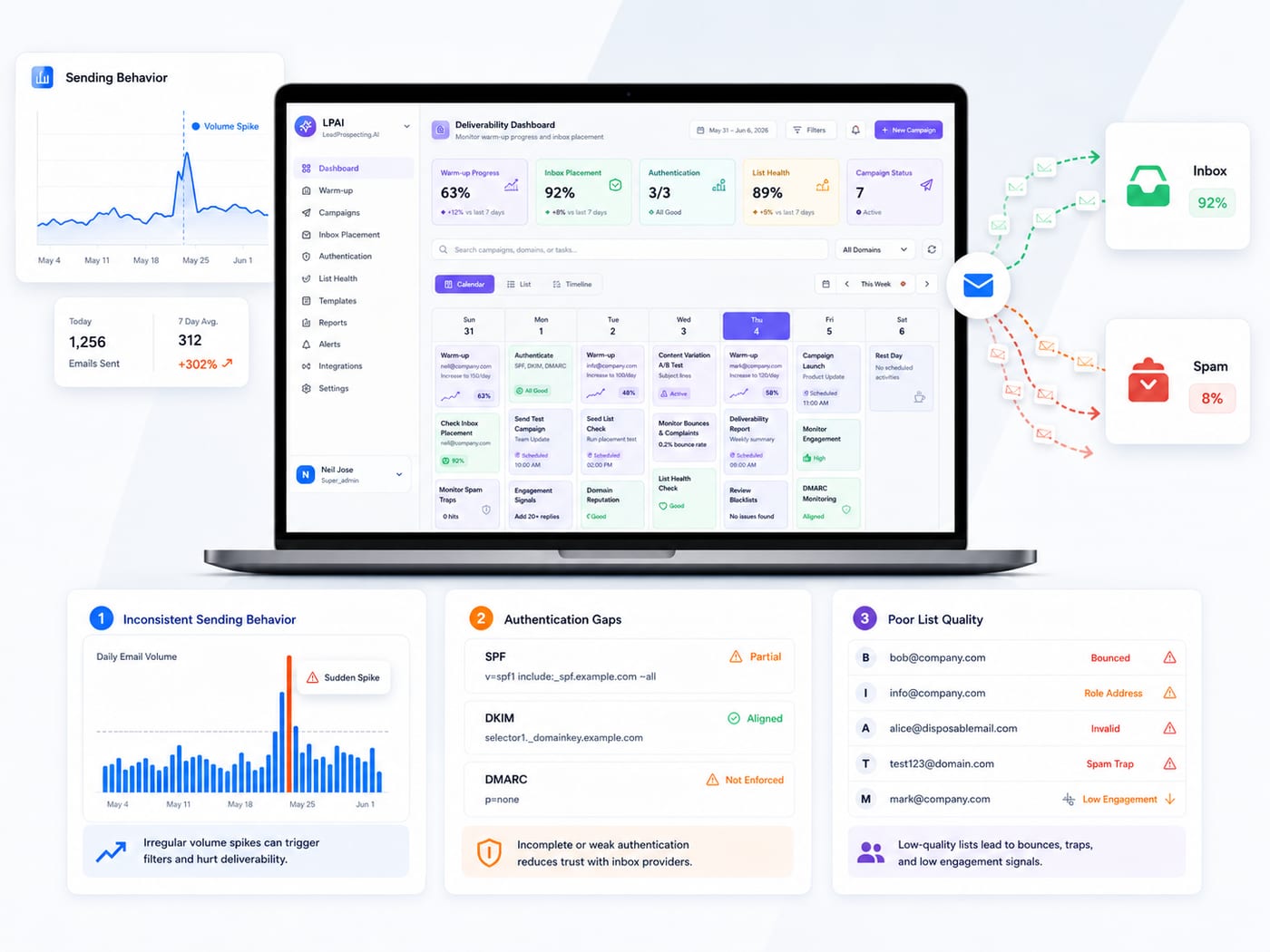
This is the number one reason cold emails die. If you have not set up SPF, DKIM, and DMARC records on your sending domain, mailbox providers treat your messages like a stranger knocking at midnight.
The Cybersecurity and Infrastructure Security Agency is blunt about it: enabling SPF, DKIM, and DMARC restricts spoofing and prevents unauthorized senders from impersonating your domain. Without these, Gmail and Yahoo do not trust you, period.
And most senders are exposed. As of 2026, only 16% of domains have implemented DMARC, leaving 87% vulnerable to spoofing and delivery failures. If you are in that 84% without DMARC, that is your first fix.
Fix it today: Log into your DNS host, add SPF and DKIM records for your sending provider, then publish a DMARC policy (start with p=none to monitor, then tighten). It takes 30 minutes and instantly changes how filters see you.
Mistake 2: Your Domain Was Never Warmed Up
Brand new domain? Sending 300 emails on day one? You just torched your reputation before anyone read a word.
Mailbox providers watch sending patterns closely. A cold domain that suddenly blasts volume looks exactly like a spammer. You need to ramp gradually, building trust over two to four weeks before scaling.
This is where most DIY campaigns fall apart, and it is why so many people complain that their warm-up software did nothing. We broke down the real reasons in Why Your Email Warm Up Service Isn't Fixing Deliverability. Spoiler: warming the domain is only half the job.
LeadProspecting AI's email warming feature builds domain reputation automatically and targets consistent inbox placement, so your cold email tool actually reaches humans instead of junk folders.
Mistake 3: Your List Is Full of Bad Addresses (Hello, Bounces)
Every email that bounces tells the provider you are not maintaining a clean list. Stack up enough bounces and your sender score nosedives.
The benchmarks are tight. Selzy's 2024 industry study, cited by Verified.email, found the average bounce rate is 1.98%, with under 2% considered healthy and anything above 5% signaling serious reputation damage.
If you scraped or bought a list and never verified it, your bounce rate is almost certainly in the danger zone.
Fix it today: Verify every address before sending. Our Lead Scraper pulls Google Maps data with verified emails baked in, which is exactly why scraped-and-verified beats buying random lists. If you are weighing your options, Cold Email vs. Lead Scraper walks through how to fill a pipeline without trashing your domain.
Mistake 4: Your Spam Complaint Rate Is Too High
When someone hits "report spam," that signal carries enormous weight. A handful of complaints across a small send can quietly blacklist you.
Google and Yahoo officially recommend bulk senders keep spam complaint rates below 0.1%, and EmailListVerify notes that rates above 0.3% risk automatic filtering and account suspension. That is one complaint per thousand emails, max.
Complaints usually come from two sources: irrelevant targeting and missing unsubscribe options. Fix both.
- Segment tightly: only email people who plausibly want what you offer.
- Make opting out easy: a visible unsubscribe link reduces complaints far more than hiding it does.
- Lead with relevance: a personalized first line beats a generic blast every time.

Mistake 5: You Are Ignoring CAN-SPAM (And It Could Cost You Six Figures)
Cold outreach is legal, but only if you follow the rules. No accurate sender info, no physical address, no honest subject line, and you are breaking the law.
The penalties are not theoretical. According to MassMailer, the FTC can impose fines up to $53,088 per non-compliant email, with the largest 2024 penalty reaching $2.95 million against Verkada.
Read that again: per email. A single sloppy campaign to a few thousand contacts could theoretically bankrupt a small business.
Fix it today: Every email needs a real physical mailing address, a working unsubscribe link, and a truthful subject line. Build these into your template once and you never think about it again.
Mistake 6: Your Content Screams "Spam" to the Filters
Filters scan for patterns. Loud subject lines, link-heavy bodies, image-only emails, and spam-trigger words push you straight to junk.
I have seen clean domains land in spam purely because the copy was overcooked. ALL CAPS subject lines, three exclamation points, "FREE!!!" and "ACT NOW" are reputation poison.
Keep early cold emails short, text-based, and conversational. One link maximum. Write like you are messaging a person, because you are. For a deeper teardown of the content patterns that quietly tank campaigns, see 5 Email Drip Mistakes That Are Quietly Killing Your Results.
Fix it today: Run your draft through a spam-word checker, strip extra links, and ditch the heavy formatting. Plain and personal wins.
Mistake 7: You Treat Your Cold Email Tool as a Set-It-and-Forget-It Machine
Deliverability is not a one-time setup. It decays. Reputations shift, lists go stale, and engagement metrics fluctuate week to week.
The senders who stay in the inbox monitor their numbers constantly: bounce rate, open rate, reply rate, and complaint rate. When something drifts, they slow down and clean up before the damage compounds.
Bad deliverability is sneaky because it bleeds revenue silently. We covered exactly how much in Your Email Deliverability Is Costing You Revenue (And You Might Not Know It), and the numbers surprise most owners.
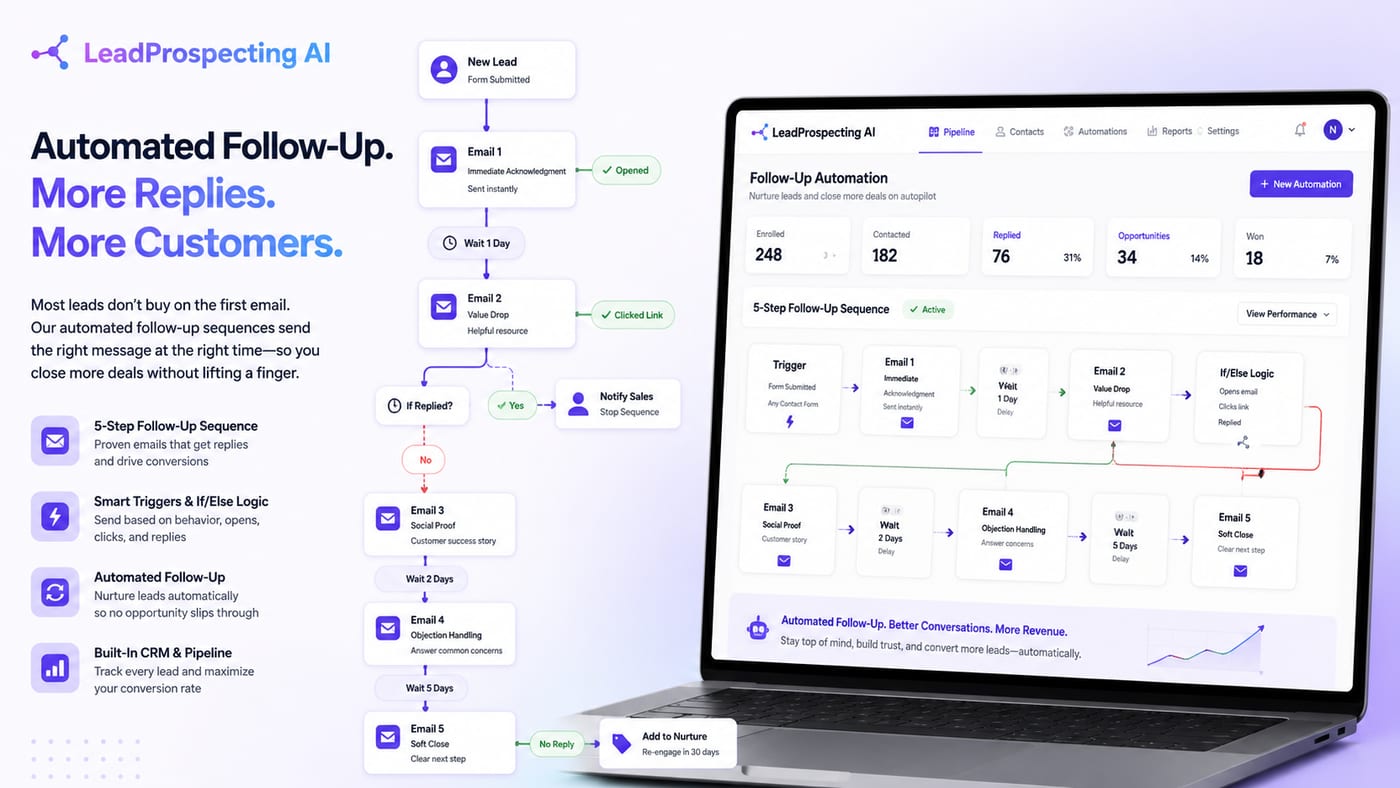
This is the case for using an integrated system instead of stitching together five tools. A real AI CRM platform ties your sending, warming, list hygiene, and pipeline together so you see problems in one dashboard. For agencies juggling multiple client domains, a unified CRM for agencies is the difference between scaling cleanly and constantly putting out fires. When you compare the math against patching tools you secretly resent (and would happily refuse to pay for once they fail you), consolidation wins.
Putting the Fixes Together
None of these mistakes is fatal on its own. Stacked together, they guarantee the spam folder. Tackle them in order:
- Authenticate your domain (SPF, DKIM, DMARC).
- Warm up before you scale volume.
- Verify your list and keep bounces under 2%.
- Keep complaint rates below 0.1%.
- Stay CAN-SPAM compliant on every send.
- Write clean, personal, low-link copy.
- Monitor deliverability continuously.
If you want the full step-by-step playbook, Spam Fix: Email Mistakes Killing Your Q2 Drip Campaigns goes even deeper on the recovery process.
One honest limitation: even with everything perfect, no tool can promise 100% inbox placement. Filters change, and some providers are stricter than others. The goal is consistent high placement and fast recovery when metrics dip, not magic.
Frequently Asked Questions
Q: How long does it take to fix a damaged sending reputation?
Usually two to four weeks if you stop the bad behavior immediately, warm the domain properly, and clean your list. Severe blacklisting can take longer, which is why prevention beats recovery.
Q: Is cold email even worth it with spam filters this aggressive?
Yes, when done right. The 45%+ spam rate is largely low-effort blasts. A verified list, authenticated domain, and personal copy still lands and converts reliably.
Q: Do I need a separate domain for cold outreach?
Highly recommended. Use a secondary domain so that if something goes wrong, your primary business domain reputation stays protected.
Q: Can an AI receptionist service help once leads start replying?
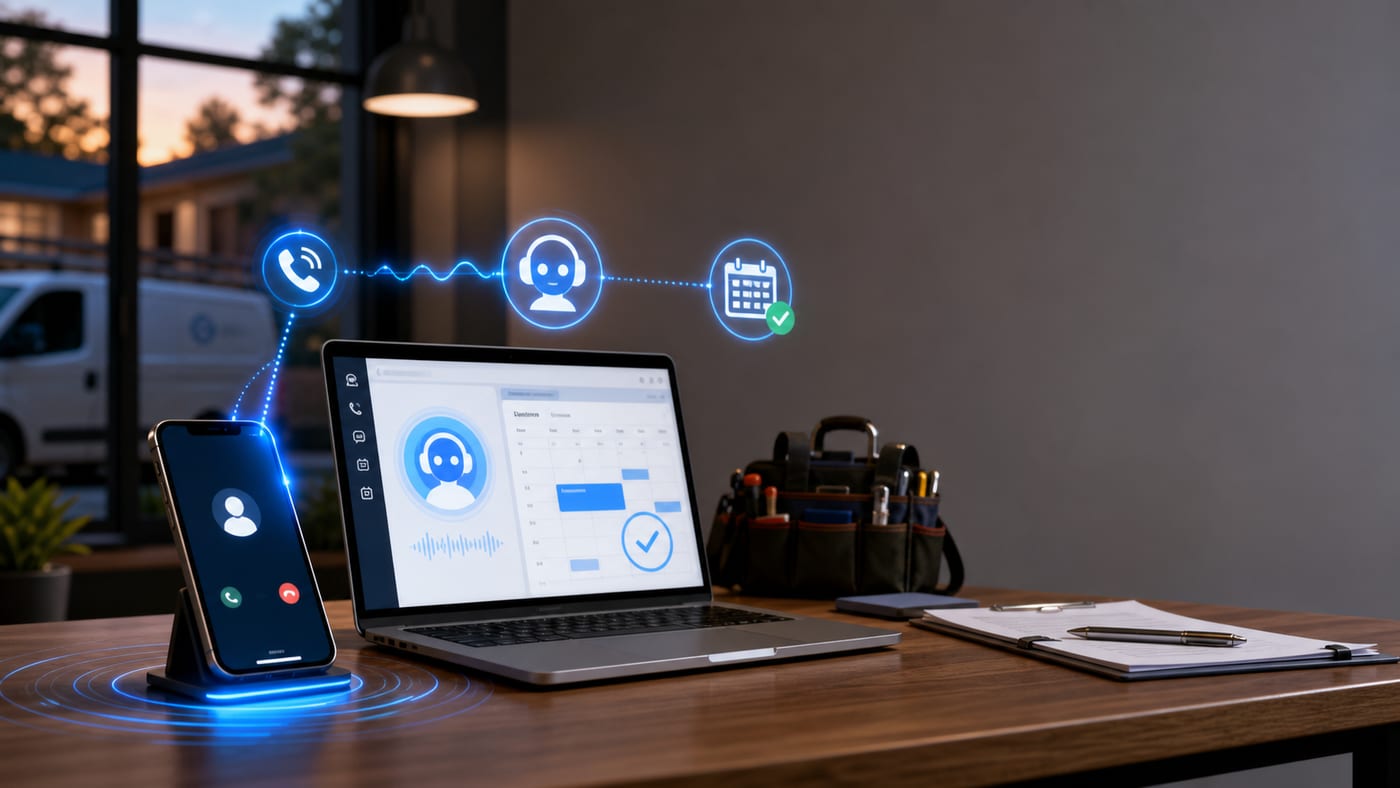
Absolutely. Once your cold email tool starts generating replies and inbound calls, an AI receptionist service plus missed-call text-back recovery ensures no warm lead slips through while you are busy.
Q: How often should I clean my email list?
Monthly at minimum. Stale lists accumulate dead addresses fast, and one bad send can undo weeks of reputation building.
Stop letting deliverability quietly drain your pipeline. LeadProspecting AI combines a verified Lead Scraper, automated email warming with consistent inbox placement, and an all-in-one CRM so your outreach actually reaches inboxes and turns into booked revenue. See our pricing plans or contact our team today, and send your next campaign with confidence.